Beginner
Instantly Add Hundreds of Hours of Premium Content from Top YouTube Creators to Your Knowledge Base! (Step-by-Step Guide)
Instantly Add Hundreds of Hours of Premium Content from Top YouTube Creators to Your Knowledge Base! (Step-by-Step Guide)
Instantly Add Hundreds of Hours of Premium Content from Top YouTube Creators to Your Knowledge Base! (Step-by-Step Guide)#
This is incredible! I have to recommend this! I couldn't help but share it with you all before going to bed! Even if you already know about it, I'm sharing it anyway!
YouTube is filled with amazing creators who share content that is both rich and deep, like Dan Koe, Ali Abdaal, PowerfulJRE, Andrew Huberman, Thomas Frank, and so many more.
Previously, if we wanted to understand their video content, the most basic method was to throw a link at Gemini and ask for a summary.
Or, we could use a plugin like Youmind to summarize videos one by one, or at most, manually add interesting bits to NotebookLM one piece at a time (Youmind works similarly).
Now, something amazing has happened! The YouTube to NotebookLM plugin can import all videos from a specific creator directly into NotebookLM in one go!
Wow, I was blown away! Mom no longer has to worry about my learning!
Go search for the Chrome extension: YouTube to NotebookLM and install it now, then check out the feature demo below! 👇

Let's pick a creator, how about you, Dan Koe! Old Dan has been the bread and butter for a whole bunch of Chinese-speaking creators.
Now, let's look at the magic this plugin can do!
Prerequisite: You need to be logged into NotebookLM first. Don't worry, the plugin will guide you to open the page!
Then, on the creator's homepage, click the NotebookLM icon. You can create a new notebook.
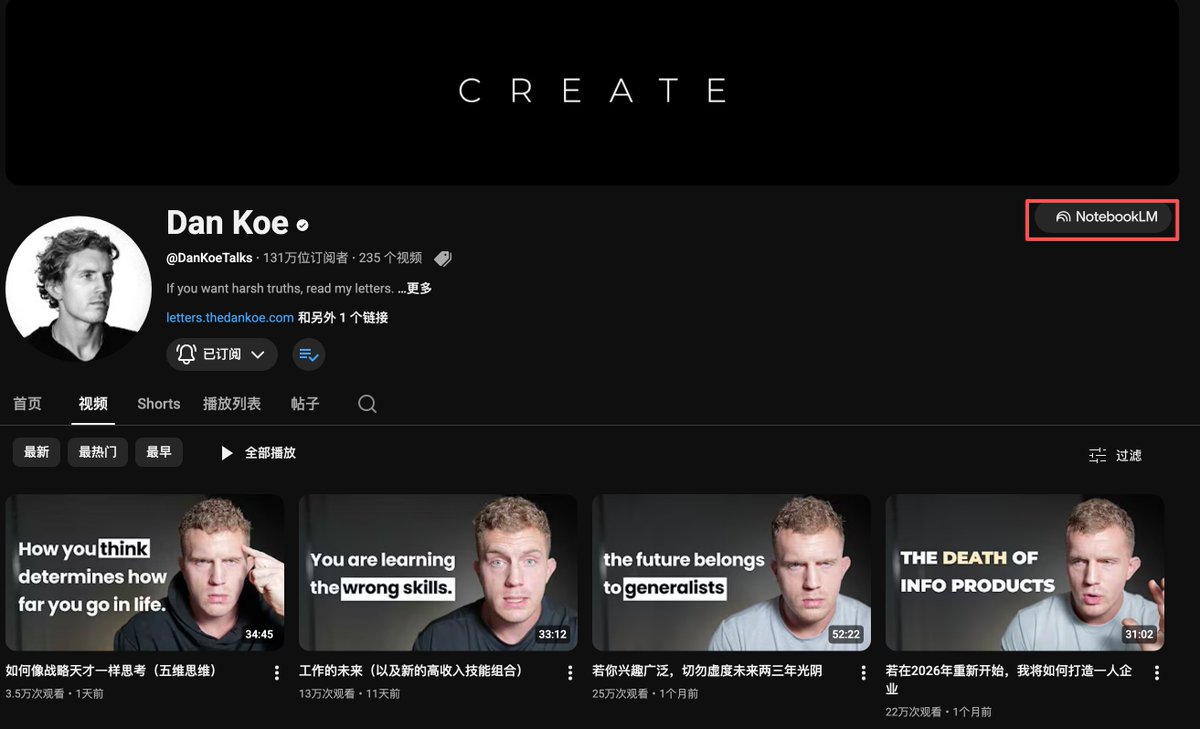
Something magical happens! Wait a moment, and all of old Dan's video links are imported!
How awesome is that?
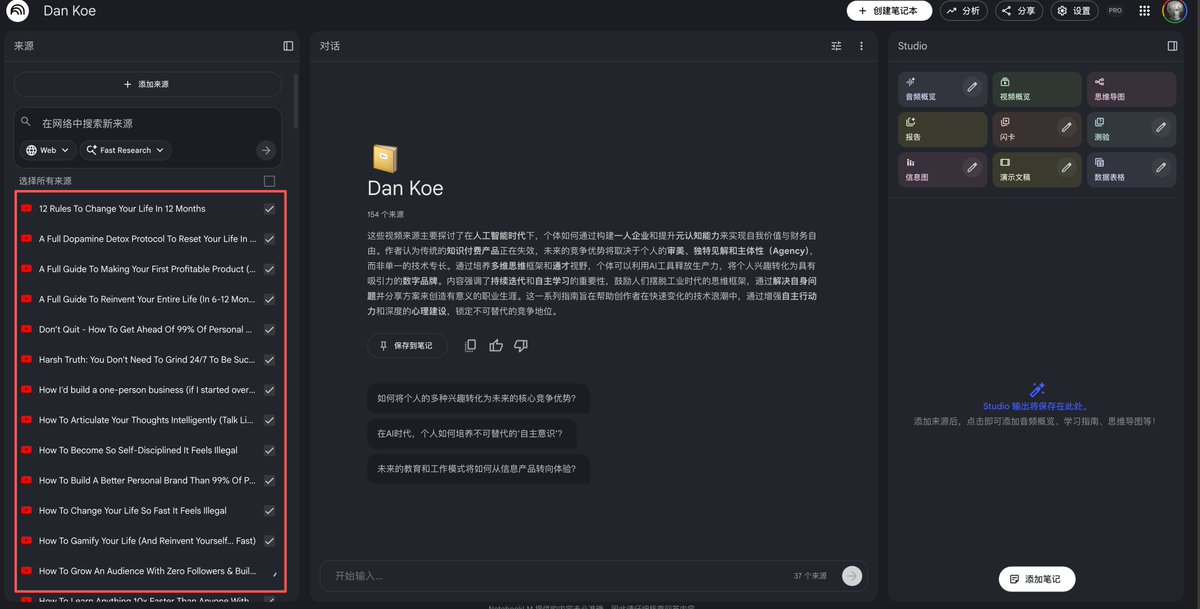
Is that it? Of course not! You now have all of Dan Koe's content as source material!
Don't just foolishly ask, "What did he talk about? What are the highlights?" and call it a day.
Come on, you haven't even used your strongest questioning skills yet!
For example, Dan is an expert in personal growth and the solopreneur philosophy. So, based on this characteristic, combine it with your own situation and ask practical, actionable questions.
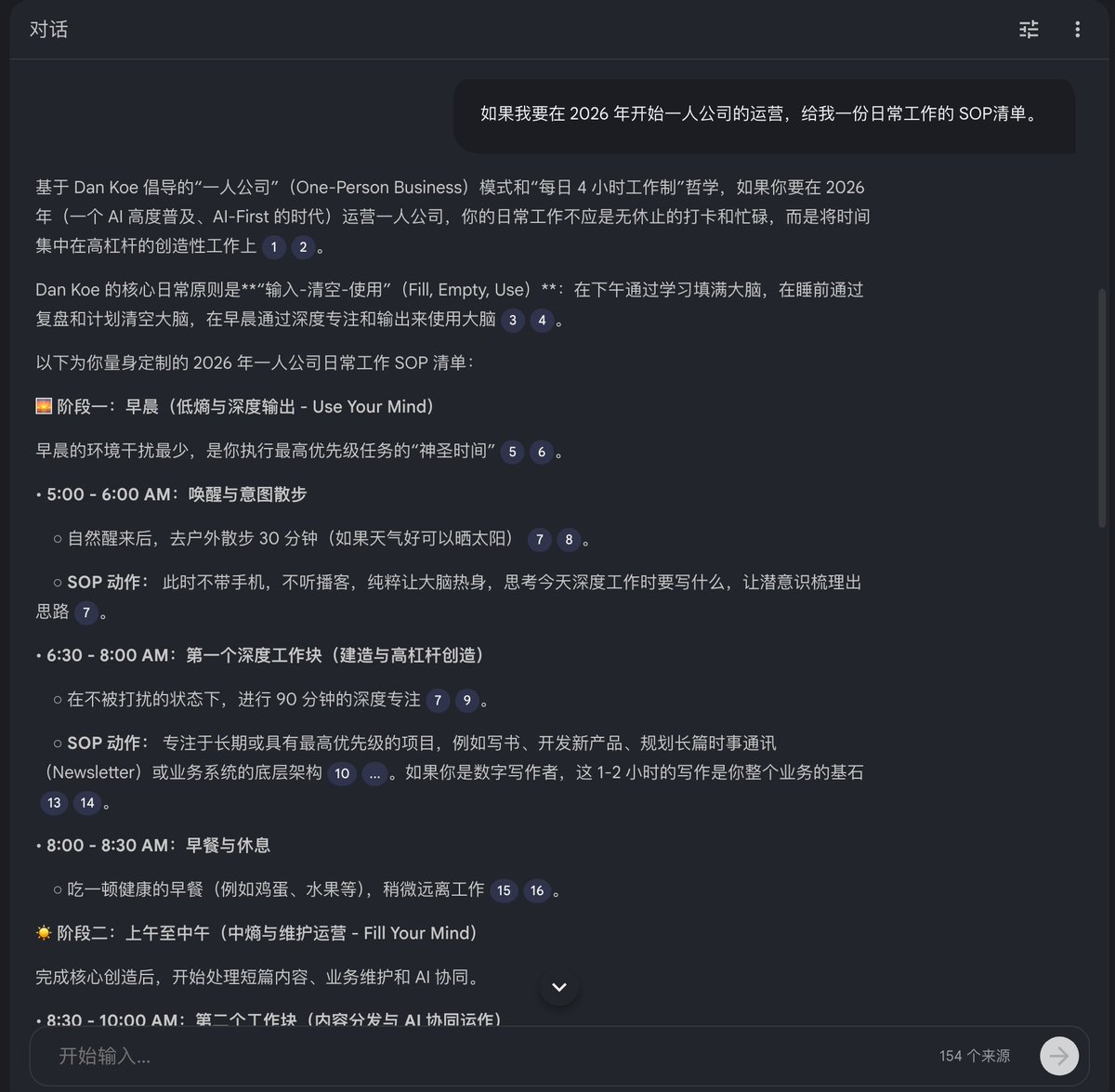
Like: "If I want to start operating as a solopreneur in 2026, give me a daily SOP checklist."
Or ask: "How can I use AI tools in 2026 to achieve efficient writing automation?"
Isn't he great at writing? Let's learn from him!
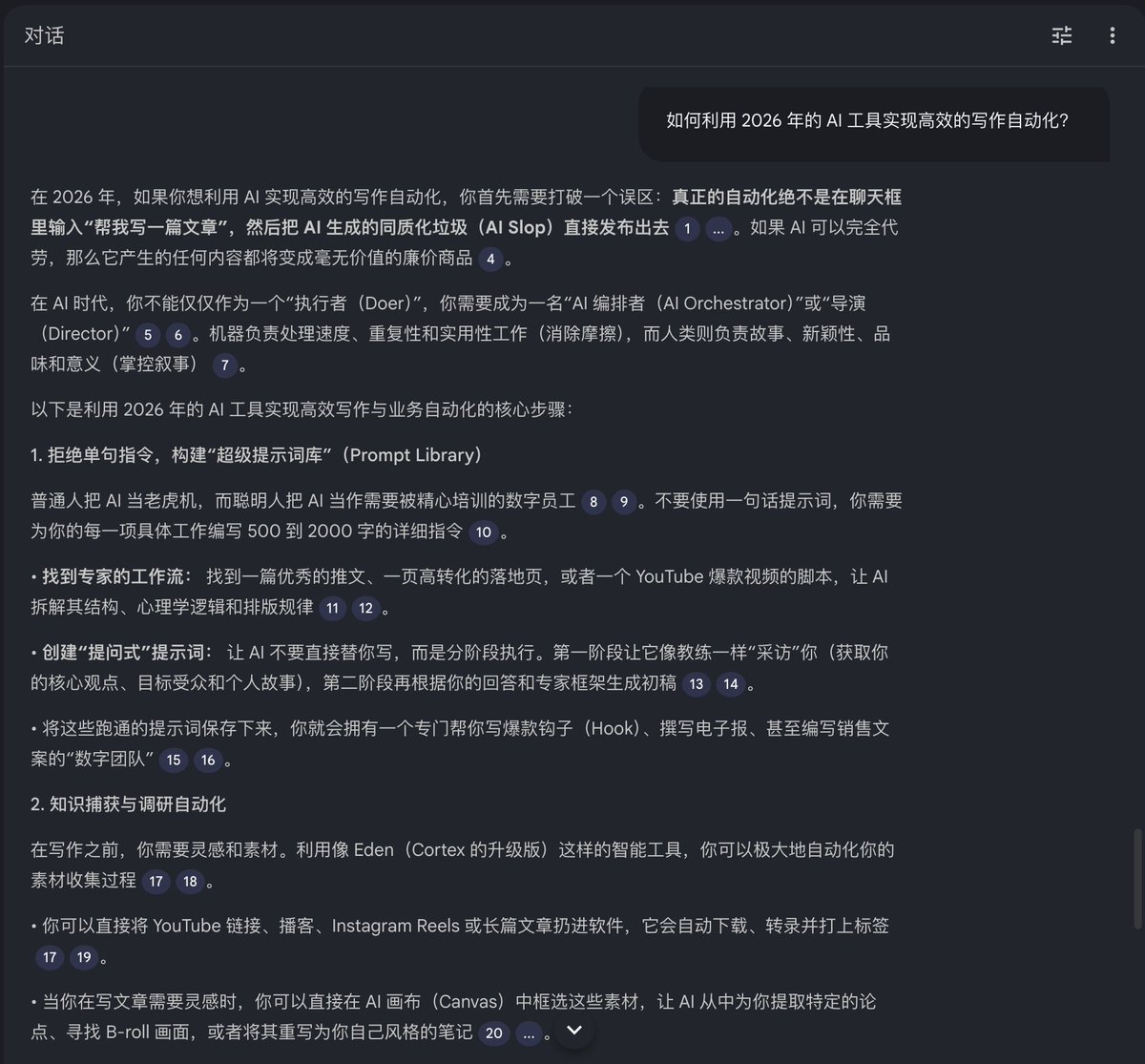
Isn't this like having a customized knowledge base? You can rewrite this into a WeChat public article or create a Xiaohongshu virtual knowledge product with ease!
The key is you're getting results based directly on the creator's original intent and words, which is verifiable!
For other practical content questions, you can extrapolate on your own.
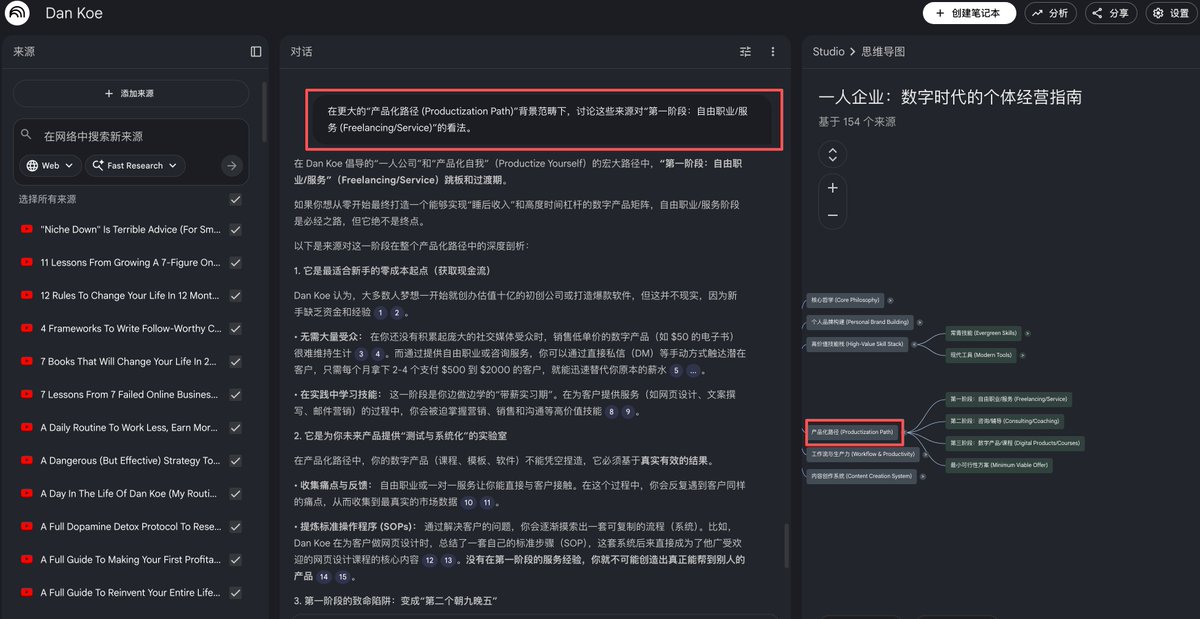
Then, take all his knowledge and generate a mind map with one click. Clicking on any text in the mind map can directly pull up the video summary for that section. It's super useful.
Visual secondary learning!

Generating a PPT is just "basic operations."
Create a PPT summary of all this creator's content. Each slide is concentrated essence, so dense! Of course, you can also edit it directly! Change the style, etc.! (This is just for demonstration)

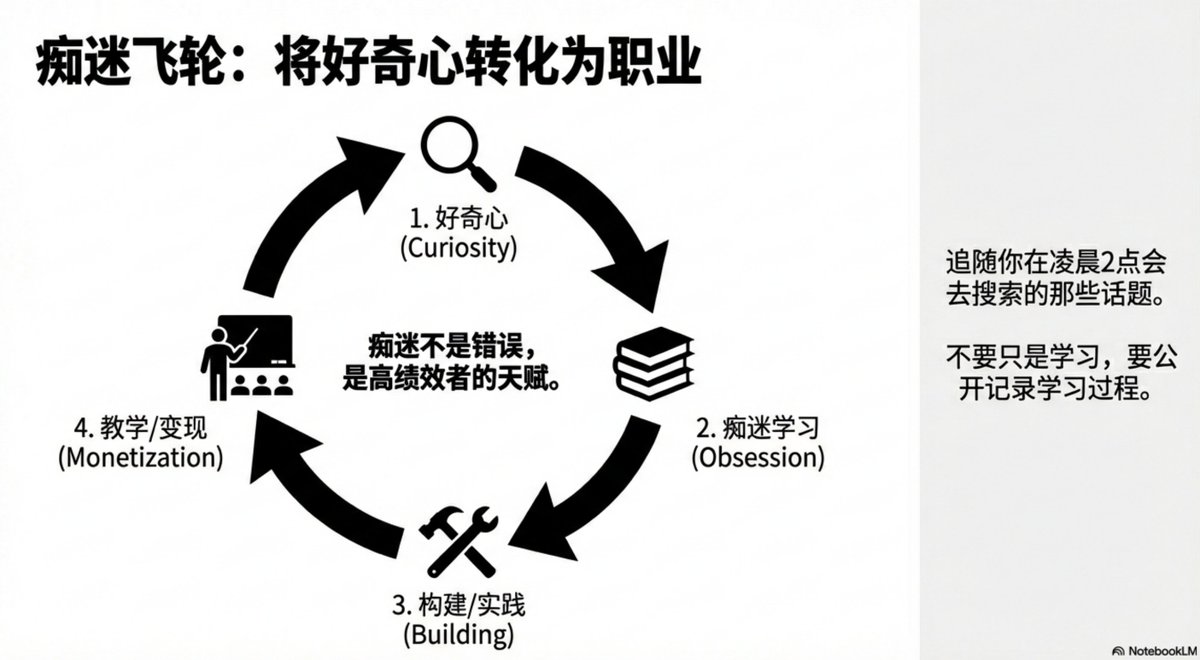
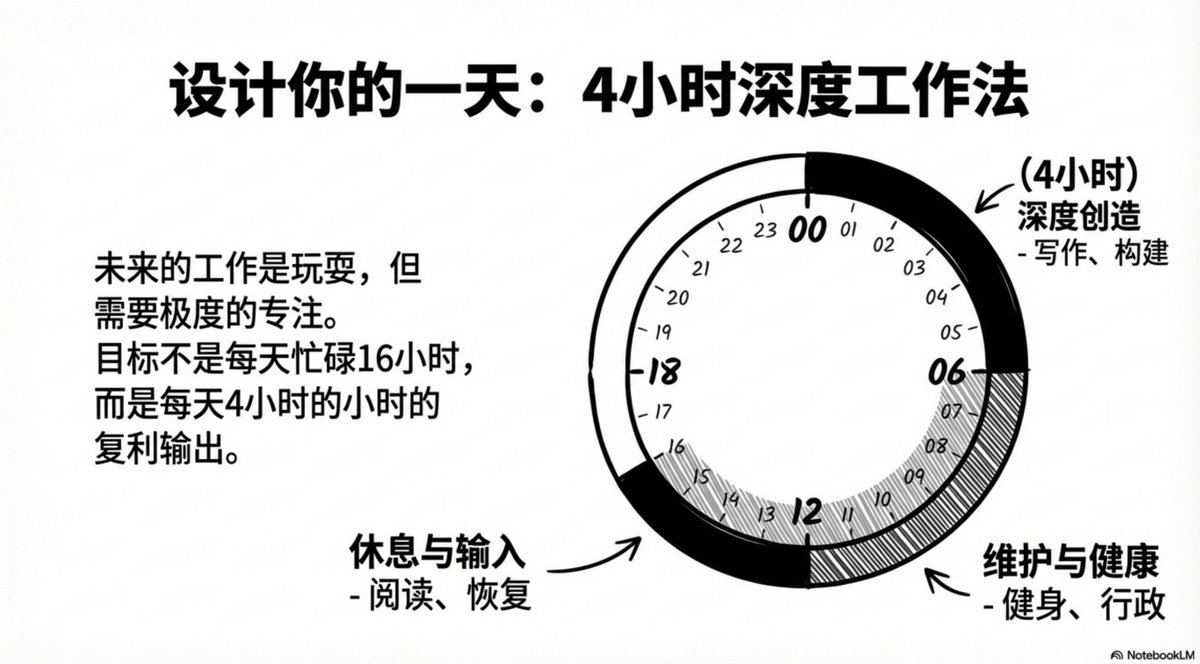
I've already created a separate notebook for all the creators I'm interested in. Now, whenever I want to write an article, I can just pull from them! I can even update them later. So satisfying!
The point of today's content is just to remind everyone not to overlook the treasure trove that is YouTube. Watching too many short videos and reading short articles makes systematic learning harder.
Let's make the most of NotebookLM! Let's maximize its effectiveness!