Beginner
Breaking Information Asymmetry: Sharing My Agent Workflow That Created Dozens of Viral Image Posts (with Case Studies)
Breaking Information Asymmetry: Sharing My Agent Workflow That Created Dozens of Viral Image Posts (with Case Studies)
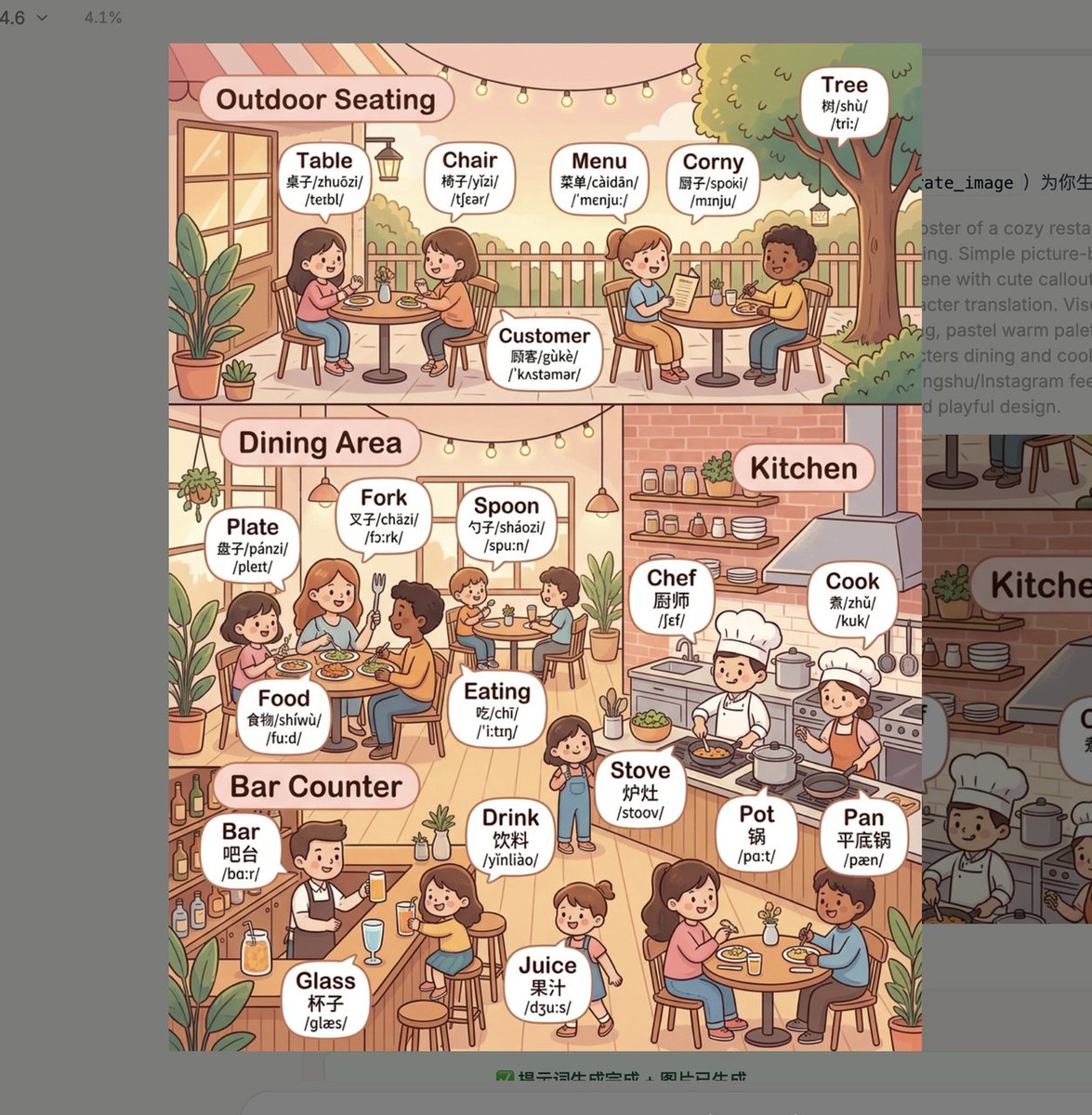
This image: 560K views, 1,489 saves, 336 retweets.
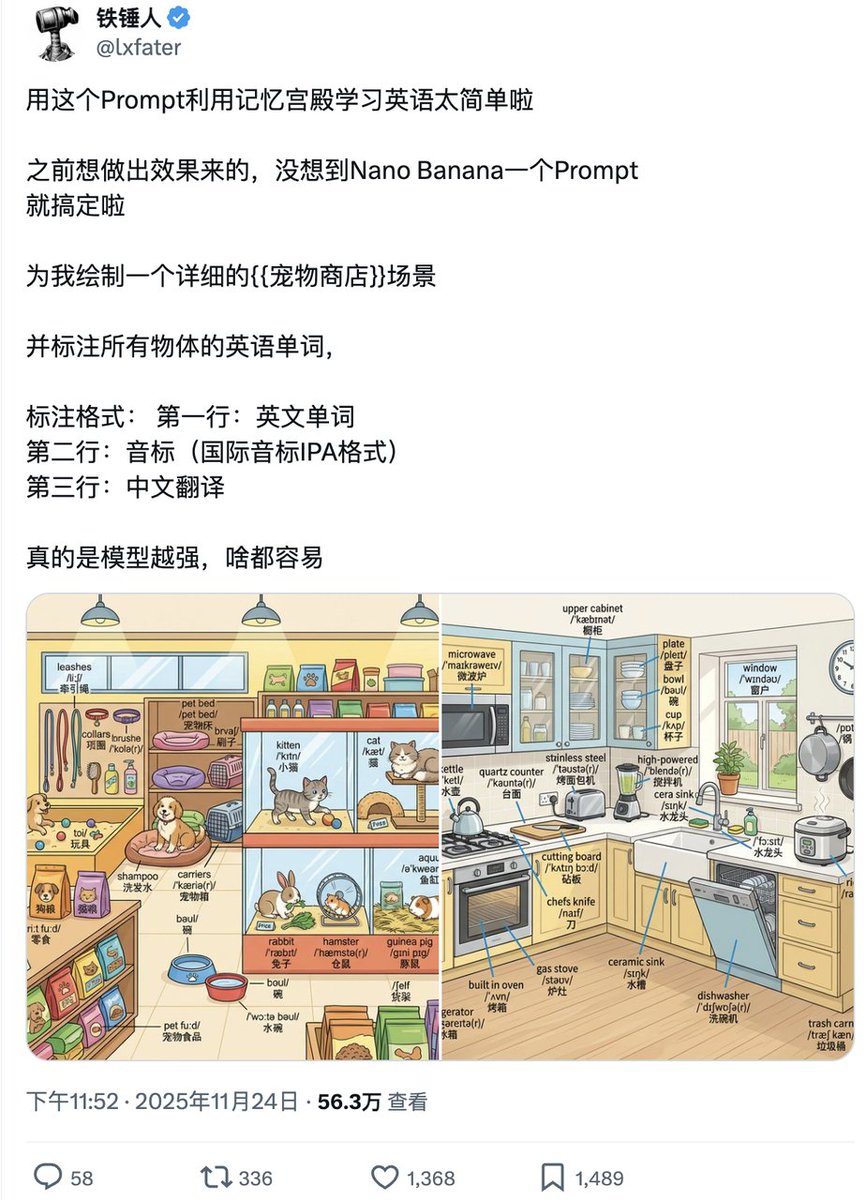
But that's just one of them. I've also created children's literacy cards, recipe images, safety knowledge graphics — over a dozen viral hits in total.
You might think: "This guy just got lucky and is making up some random summary."
But it's not luck. The foundation is a repeatable, automatable Agent pipeline.
Many people who understand this are unwilling to share it publicly, but today I'm breaking the information asymmetry.
From research and content production to automated social media content output — a detailed breakdown of the entire Agent pipeline.
If you're still making images one by one and relying on luck for content, this article will completely change how you think about content creation.
Step 1: Research — Copy the Ones People Actually Pay For#
Let's start by deconstructing that image with 560K views.
When you open this image, your first reaction is probably: "To get 560K views, the prompt must be really complex, right?"
No. It's a very simple image with an extremely simple prompt.
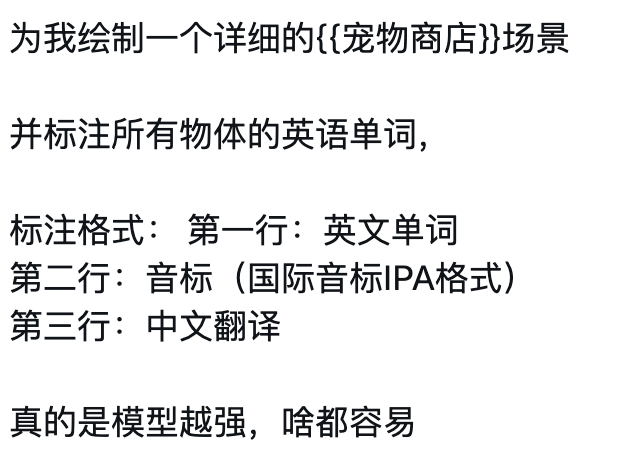
What's more interesting is that I didn't even write this prompt myself.
I never brainstorm image prompts out of thin air. Instead, I find successful cases and amplify them.
So how do you copy?
Don't copy viral posts. High likes don't mean people actually want to buy.
Many viral posts are emotional gags, controversial jokes, or curiosity bait. They feel good to look at but have nothing to do with real demand.
Look at images with high sales. People paying money is real demand.
Open Xiaohongshu (Little Red Book), sort by sales, and grab the top-selling product images.
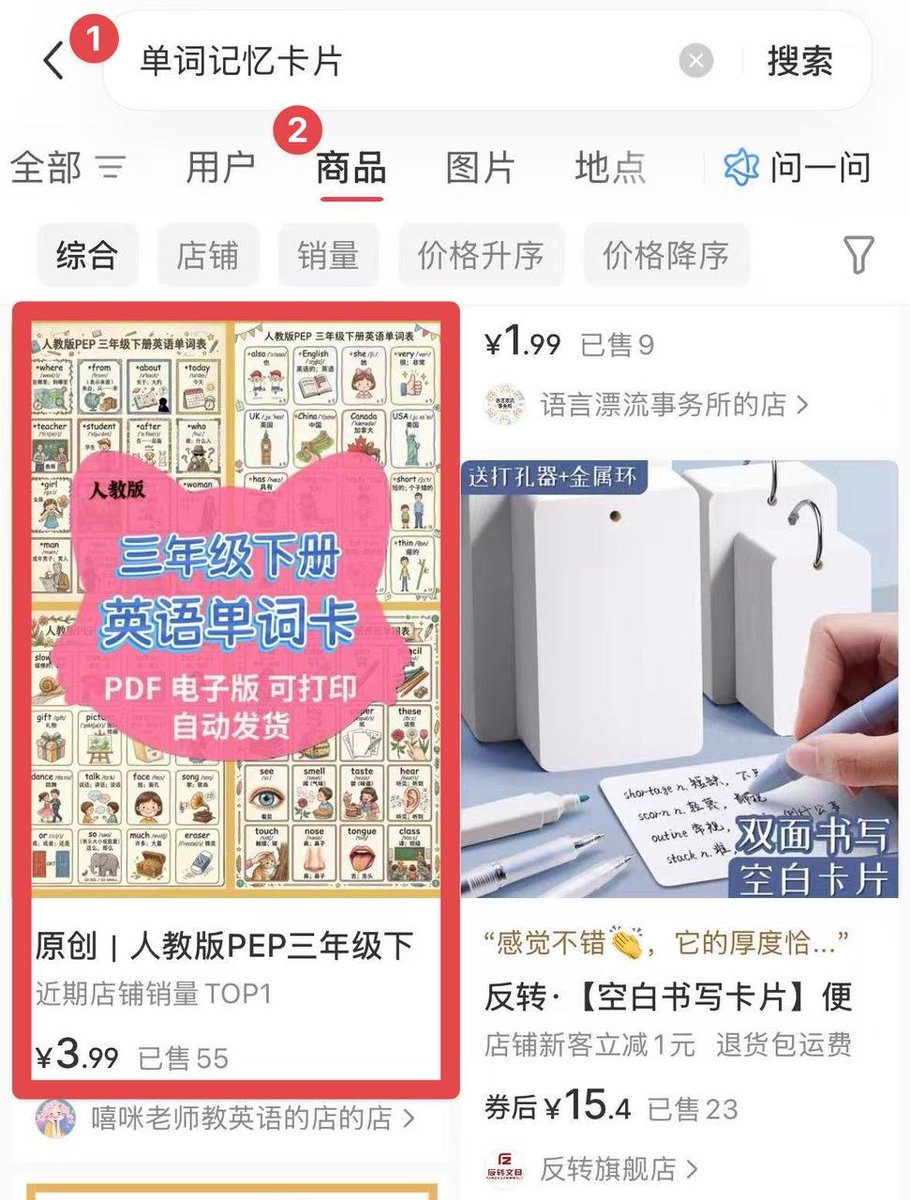
Then throw these images into an AI Agent and have it reverse-engineer the prompts. Here's how it works:

It takes one minute. You get the prompt, tweak it a bit, and use it directly.
So for that 560K views image, I did nothing special.
I just started from demand and found the answer that already solved the problem.
But you can only copy one image once. What if you need to make ten or a hundred? Would you go back to Xiaohongshu and reverse-engineer each one?
That's where the next step of the pipeline comes in.
Step 2: Content Production — Customize Once, Batch Output#
Based on the previous step, you can quickly nail the first image.
But if you switch scenarios — from a gym to a kitchen, from learning English to learning Korean — do you have to reverse-engineer from scratch again?
You might think: "Just reverse-engineer a few more times. It's not that hard."
But reverse-engineering one image once, ten images ten times — cumulatively, you're still doing one-time labor for each image.
The real answer is: change how you write prompts.
Don't write "Prompts." Write "Meta Prompts" — like fill-in-the-blank questions: the template is fixed, you fill in different answers each time, and you get different images.

Leave several blanks in the Meta Prompt: scene, text, style, theme. Each time you need an image, just fill in those blanks.
But there's another problem: manually writing these template instructions with blanks is very tedious.
Ordinary people find Meta Prompts difficult and don't want to write them.
That's when you need a good tool to skip the manual writing step.
My approach: directly tell a CREAO Agent, "Based on this pain point, list the customization options for me."
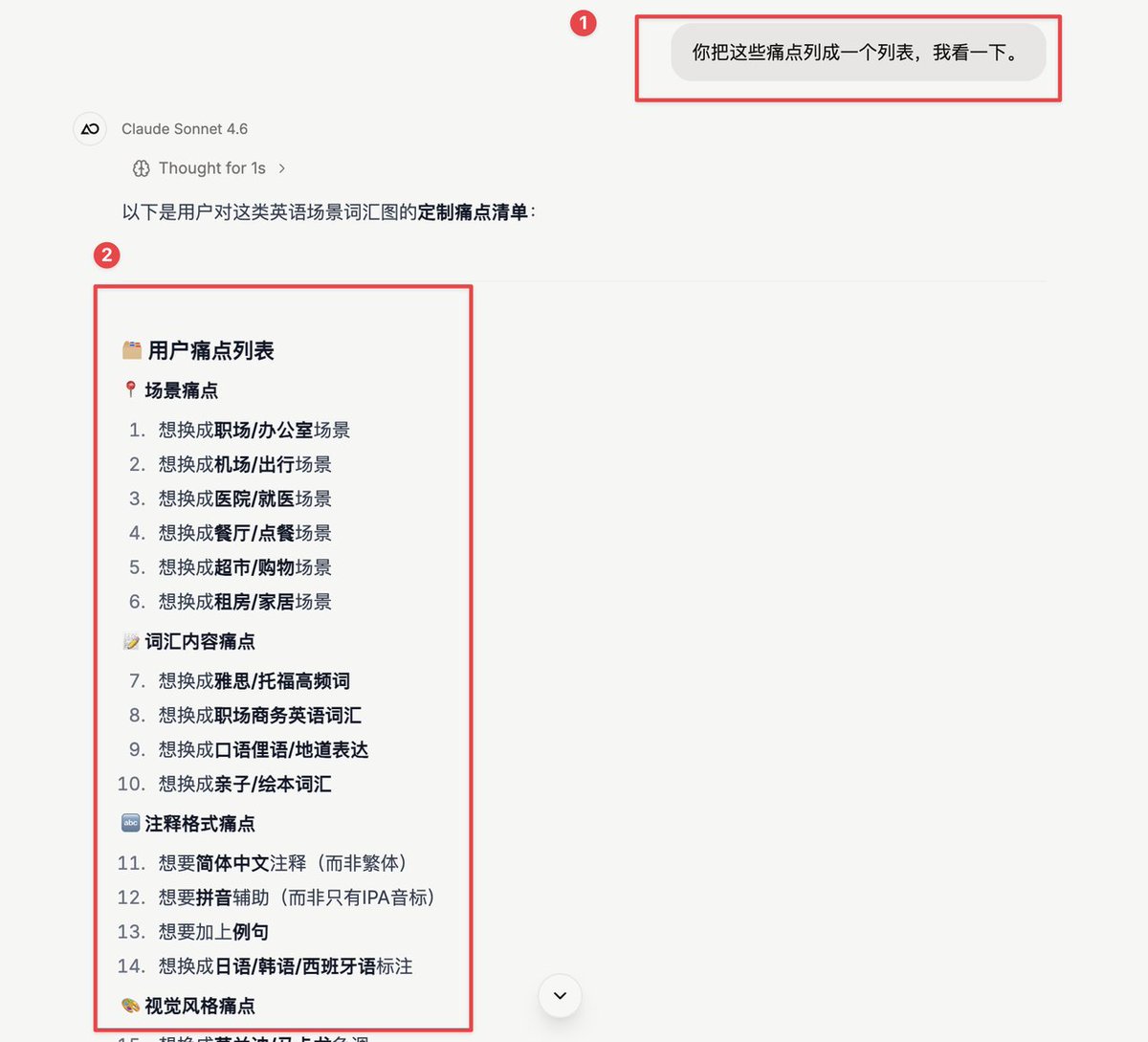
Then tell it: "Randomly switch these pain points and generate new prompts for me. Create an original work." It's that simple. It was always that simple.
But does this disappear when you close the dialog? Do you have to input the prompts over and over next time?
Here's how to avoid repetitive work.
Step 3: Automation — It Works While You Sleep#
In 2026, stop using chatbots. Use Agents that can work proactively on their own.
But I can't code. How do I create my own Agent system?
Good news: CREAO can save a successful conversation as an Agent with one click.

The entire pipeline is saved. Tomorrow, the day after, next month — open it anytime, fill in the parameters, and the images are generated.
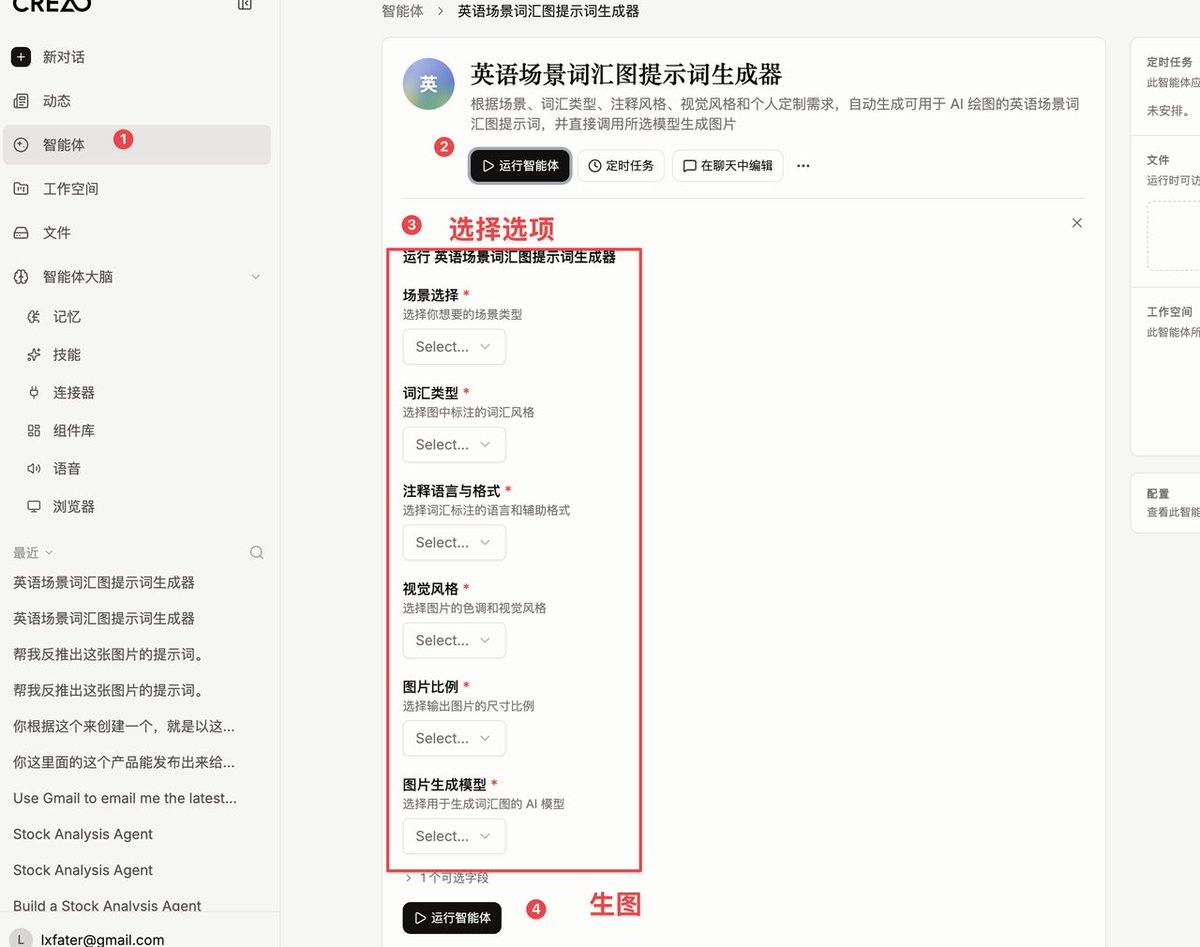
You don't need to re-run the previous steps. What was a one-time process becomes a reusable product.
But CREAO has an even more powerful feature: add a Scheduled Run to this Agent.

Once set, the Agent runs automatically on schedule. You don't need to open CREAO, fill in parameters, or even be present.
For example, it automatically generates a new batch of images every morning at 7 AM. You wake up and just pick the best ones.
The result: you don't need to be there. It produces on its own.
It works while you sleep, while you're out, while you're in meetings.
What you have is no longer just a tool — it's a clone that never clocks out.

By now, I believe you've mastered this workflow for creating vocabulary cards. But the biggest insight here is using an entrepreneurial mindset for social media.
It might sound abstract, so let's break it down.
Use an Entrepreneurial Mindset for Social Media: Infinite Inspiration, Maximum Productivity#
Your users' pain points are your inspiration. That's why your inspiration is endless.
Why?
Look back at the entire chain we've walked through:
Research (dig for pain points on Xiaohongshu) → Reverse-engineer Prompts → Meta Prompt + UI (customization) → Save Agent + Scheduled Run (automation)
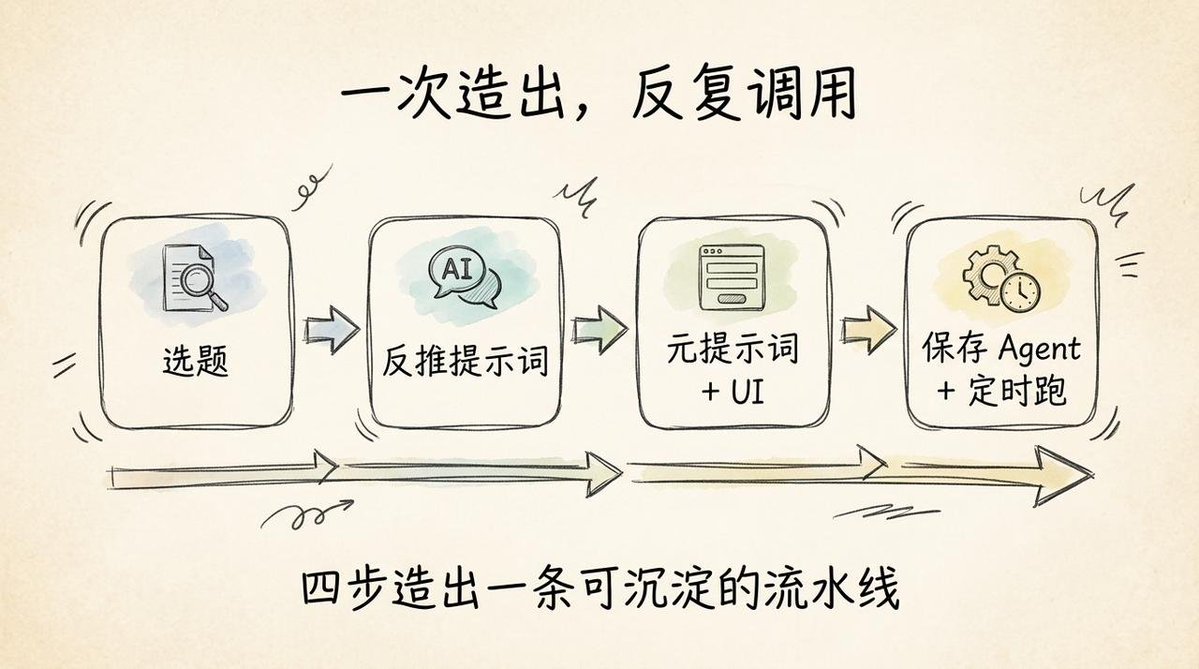
This method isn't about copying. It's a complete design and creation workflow starting from the demand side.
Because human needs, pain points, and pleasure points are endless, our inspiration is endless.
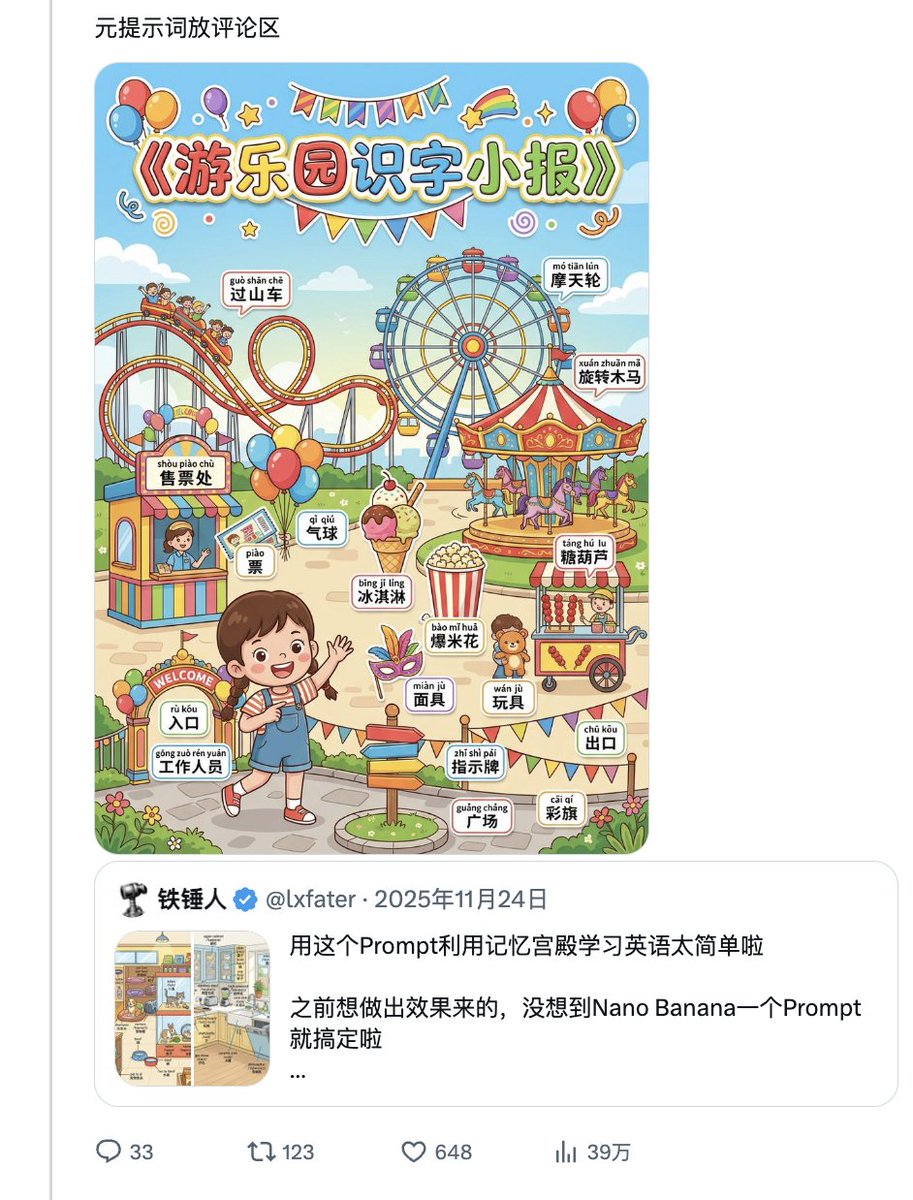
I've used the same mindset across many categories: children's literacy, recipe images, safety knowledge graphics. Each one is an independent Agent. Each one has produced viral hits. Each one solves a real user problem.
Here's a previous viral hit: children's literacy, 390K views.
What's even more interesting is that this chain is inherently automatable. This is especially crucial for solo entrepreneurs.
If you don't have a team or a lot of time for repetitive labor, how can you keep creating content as one person?
If every piece of content is one-time labor, you'll burn out quickly. But with this chain, every run adds an asset to your library.
Gradually, one person becomes more and more efficient.
And it's not just for social media. Many entrepreneurial processes — like gathering information or analyzing competitor products — can be standardized and delegated to an Agent.
You might say, "I'm not an entrepreneur. What does this have to do with me?" But the reality is: with AI's empowerment and disruption, we may all become entrepreneurs — actively or passively — in the future.
The AI Era Demands an Entrepreneurial Mindset#
Of course, there's no need to panic.
But I still recommend embracing an entrepreneurial mindset as early as possible. Start from demand, and use AI as a lever to scale.
How?
Start with every repetitive task you do. Ask yourself: "Can this be standardized into an Agent?"
Once you identify a need, begin creating your first Agent.
Here's how to do it:
Go to CREAO (@CreaoAI) and sign up for a free account. You get 30 credits per month, no credit card required. Once logged in, start chatting to create your Agent.
If you have no ideas, follow the three steps in this article (Research → Content Production → Automation). Practice with the examples here and build your first Agent.
Here's the registration link: https://agent.creao.ai/signup?ref=dZnBAGfJqg
I hope this article helps you. Thank you. 🙏