Beginner
Building a Content Factory with Openclaw+Obsidian to Write 10M+ Read Viral Articles, Earning 6000 RMB per Piece
Building a Content Factory with Openclaw+Obsidian to Write 10M+ Read Viral Articles, Earning 6000 RMB per Piece
Last year, I worked on a viral WeChat public account article project. Relying on my past experience and intuition for content, I managed to create an article that garnered over a million reads.
I did a small review at the time:
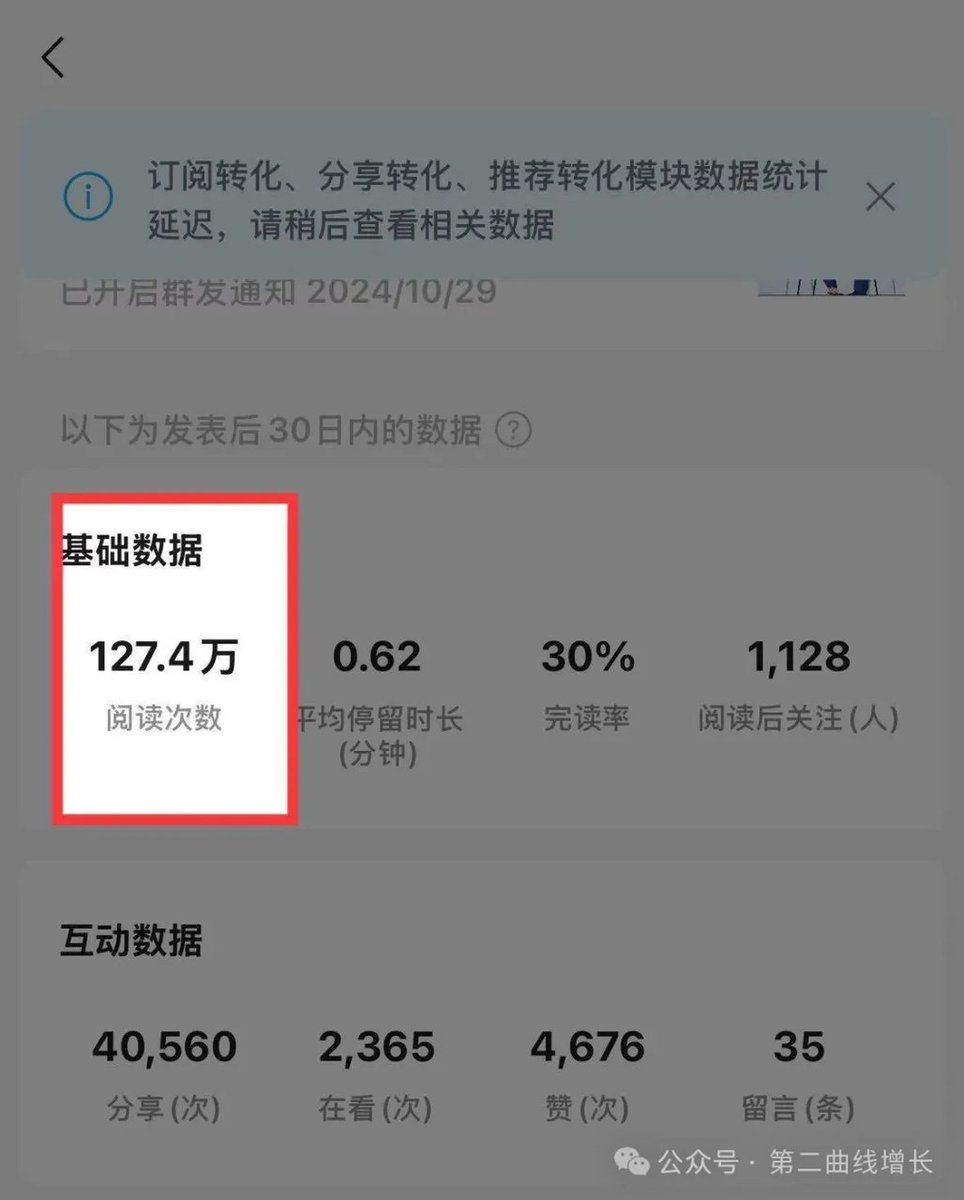
That article was published on my current account and directly brought in over 6000 RMB in revenue.
Later, I kept thinking about one question: Was this a victory of the content itself, or was it because my old account already had inherent weight?
To verify this logic, I separately created a brand new account called "Second Curve Growth" and re-did the entire process using pure data and industrial logic.
To leverage the Claude model's capabilities for free, I used Cursor to handle the entire workflow at the time.
First, I scraped a batch of high-performing, viral content in a specific niche, 28 articles in total. I dumped all these articles into the model, forcing it to read them all, and required it to strictly categorize them by content type, emotional triggers, and article structure.
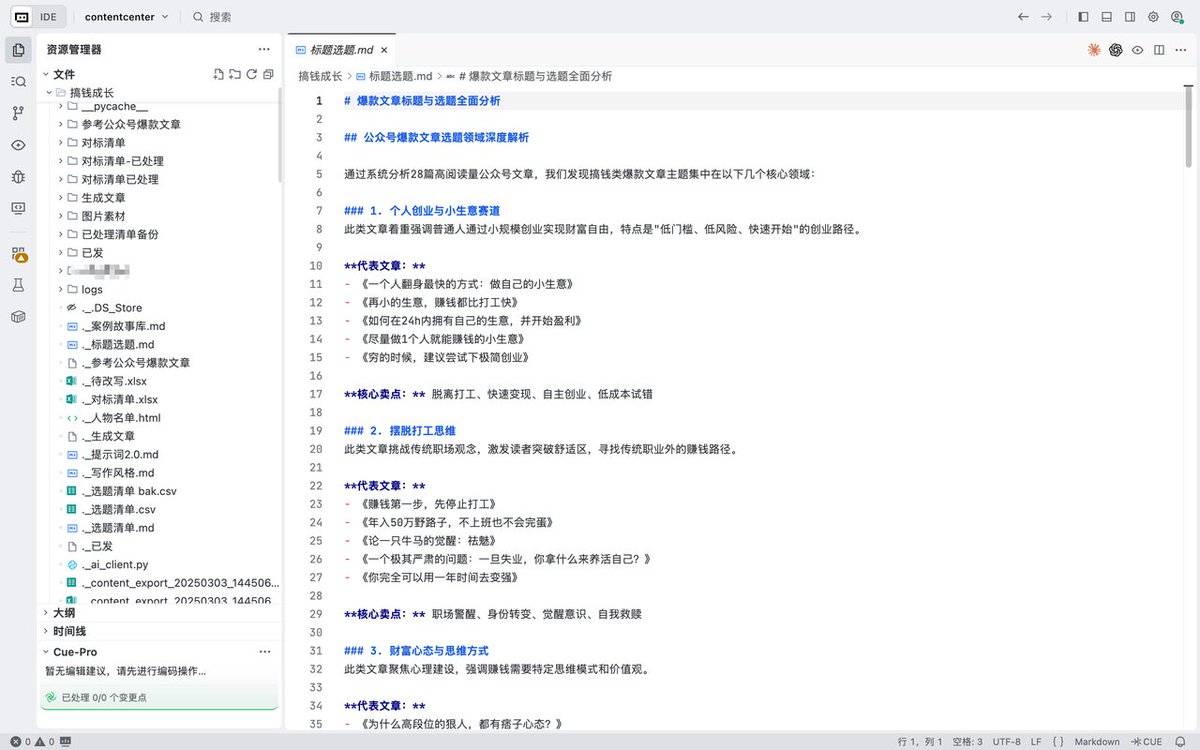
Then, I had it mimic the successful examples and directly generate 100 pain-point topics.
In the early stages, I specifically summarized a fixed writing style and prompt framework.
After the preparation was done, the rest was assembly line work. I had the model generate articles one by one in sequence. After getting the text, I didn't even change a punctuation mark, just copied and pasted it for publishing.
Even the cover images for the posts were all the same uniform template, with absolutely no manual intervention.

The results were staggering. By the fourth article published, the content directly triggered the recommendation algorithm and started flooding into traffic pools.

Following that, I used the same method to run 4 or 5 more accounts, which also succeeded.
Even when I was in the education and training sector, I managed to build several accounts this way that brought in a lot of customer leads.
But I'm not doing it anymore.
Because this approach is too focused on chasing traffic, offers no compound interest, and builds no personal asset accumulation.
However, the underlying logic of that industrialized content production system is incredibly powerful and highly valuable.
Recently, I discovered that if this logic is transferred to the current agent architecture, using OpenClaw with Obsidian, the effect is not only ten times better but can truly establish long-term data moats.
This article today gives you a complete, ready-to-use practical tutorial.
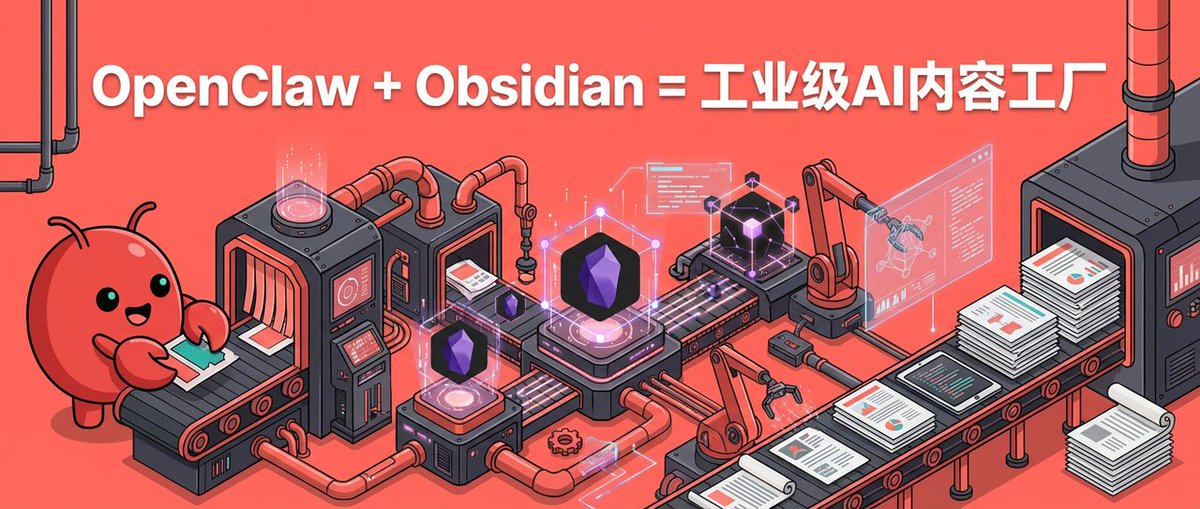
01 Why OpenClaw plus Obsidian?#
Many people use various large language models every day but still feel their efficiency hasn't undergone a qualitative change.
The reason lies in the extremely fragmented way of using them. You think of an idea, ask the AI, get an article, copy and publish it, then close the webpage. Next time you have another idea, you have to re-set the context and re-tune the tone. You're repeating ineffective labor every time.
True systematic creation should be like this:
- You have an idea and record it into your local topic library.
- The AI receives the instruction and automatically searches your accumulated months-old library of viral content materials.
- After finding a matching theoretical framework, it reuses content structures already validated by the market for writing.
- After the article is published, its performance data is again deposited into your methodology.
To achieve this closed loop, you must possess two core components: a foundational database that persistently stores knowledge and a driver engine that can automatically execute instructions in the background.
Obsidian is that database. It's a completely local Markdown knowledge management software. Its core advantage is the bidirectional linking feature, which can connect isolated text fragments into a three-dimensional knowledge network.
OpenClaw is that driver engine. It's a daemon process that can run silently in the background 24/7. You don't need to open a chat dialog to talk to it. You just need to send an instruction via the mobile-bound interface, and it will automatically read files in Obsidian in the background, performing retrieval, splicing, and writing.
This combination is a set of highly dominant infrastructure, whether for personal IP Xiaohongshu bloggers, WeChat public account creators, or for cross-border e-commerce enterprises needing to deploy large-scale overseas independent site SEO blogs and operate overseas social media.
02 First, Look at the Effect: The Content Production Process is Completely Reconstructed#
With this content factory in place, when you're walking down the street and see a high-quality industry report, you can casually copy the link and send it to the Agent on your phone.
OpenClaw will silently scrape the main text in the cloud, extract the core logic, tag it with the correct YAML labels, and automatically sync it to your local Obsidian inspiration library.
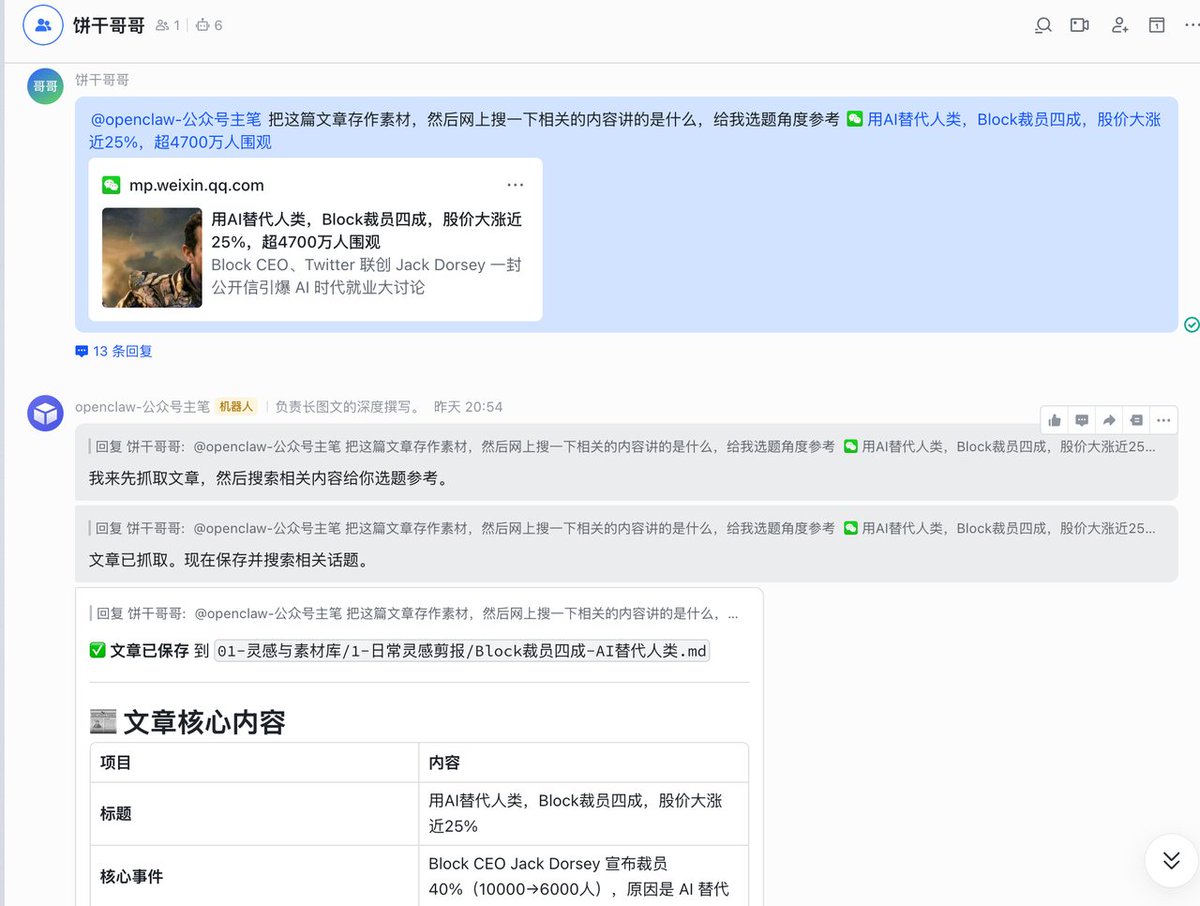
Sitting in front of your computer at night, you just need to send one instruction to start processing today's collected inspirations. The Agent will automatically fetch materials to suggest topic angles for you.
It can even search the web in real-time.

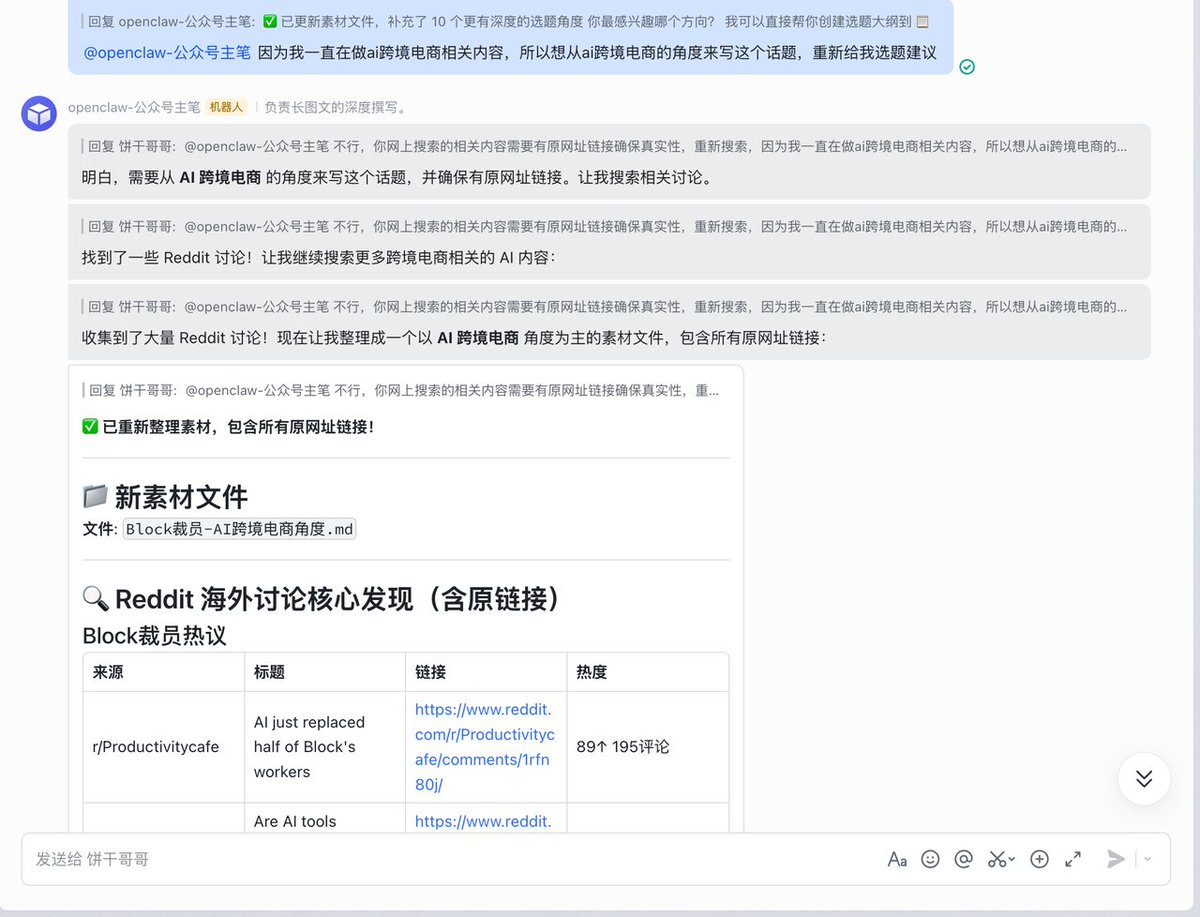
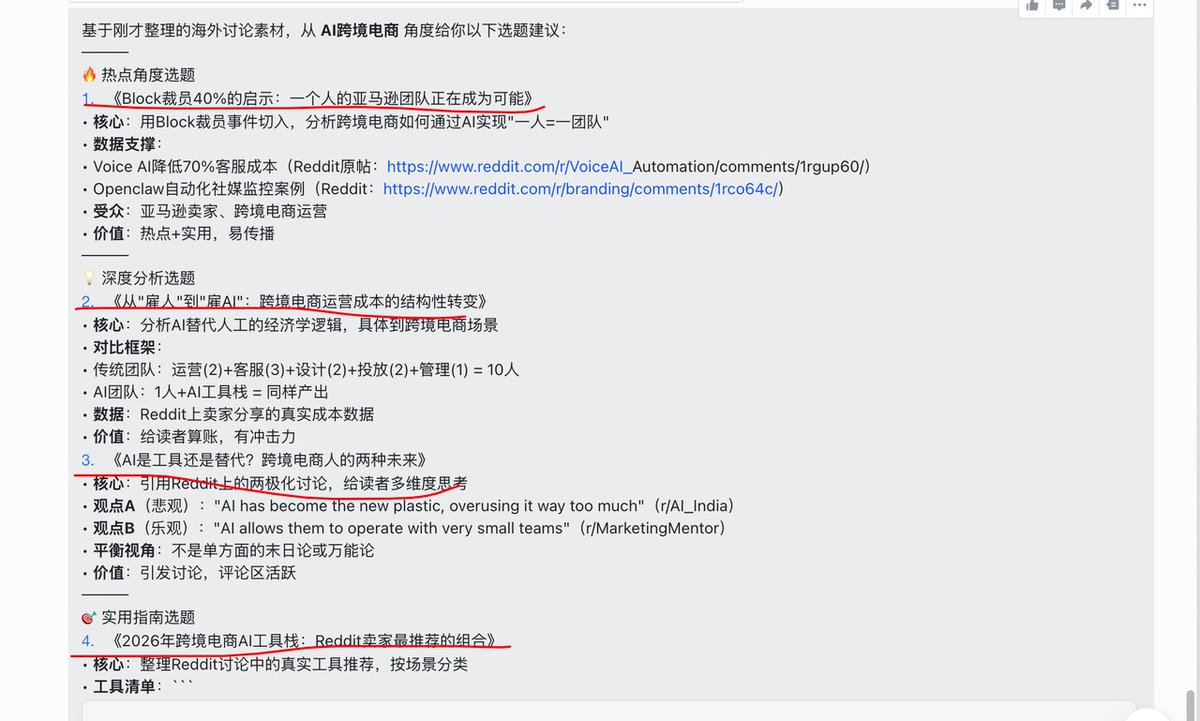
Honestly, the topics it gives are actually quite good:
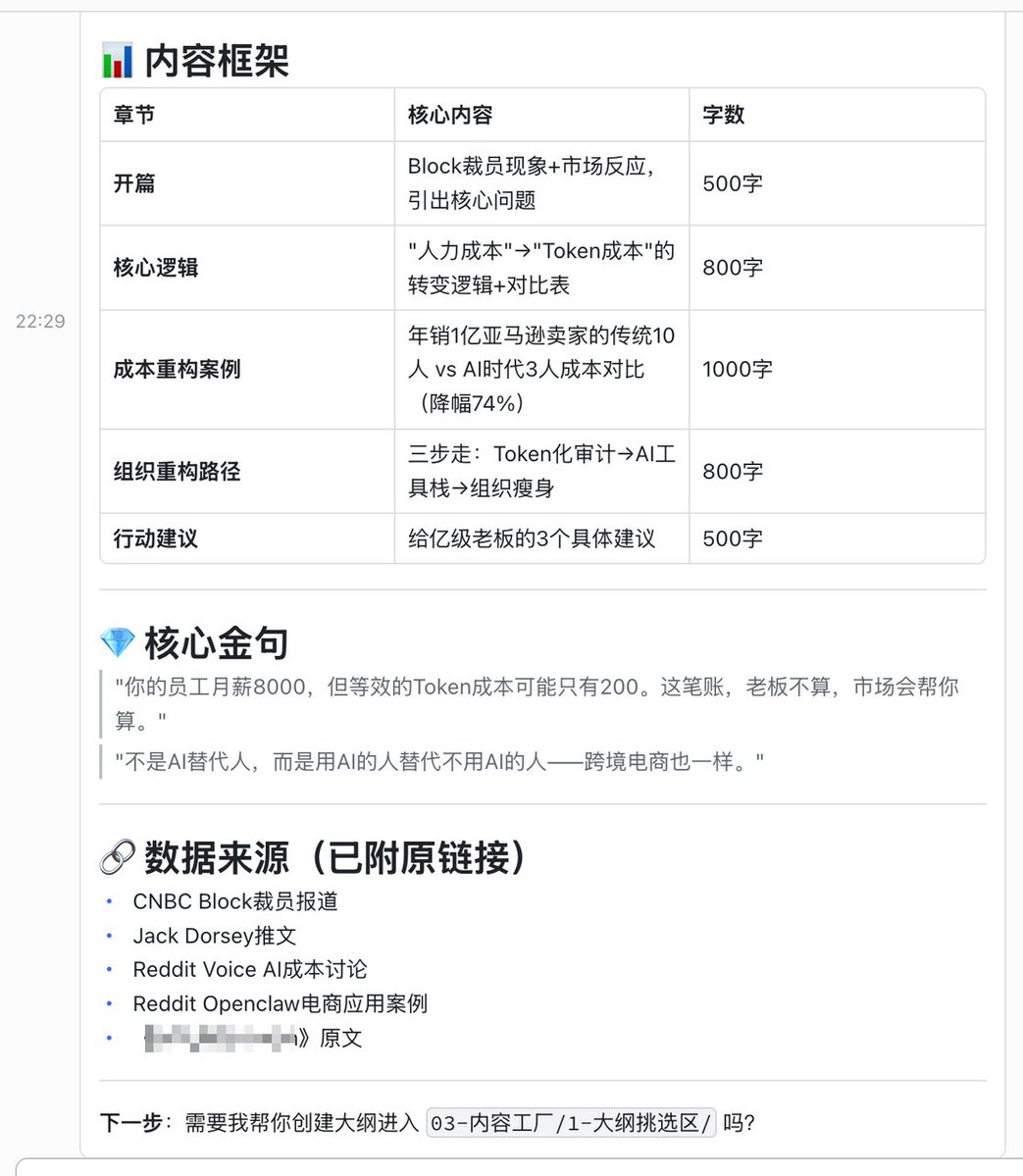
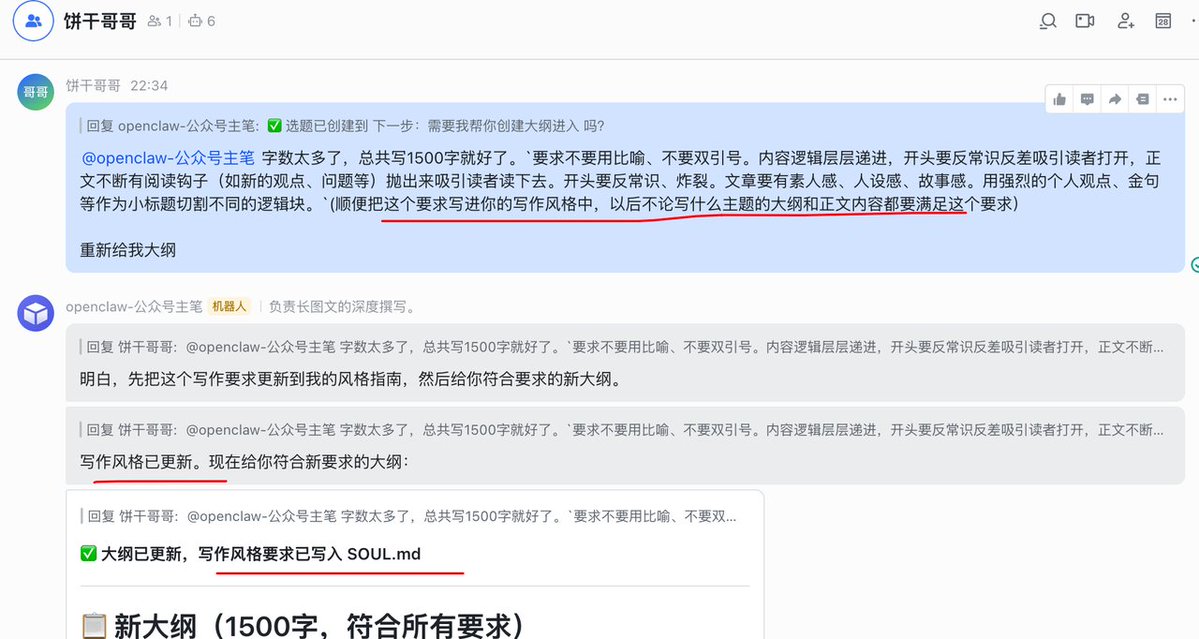
Then, having it generate an outline and write the article is very smooth.
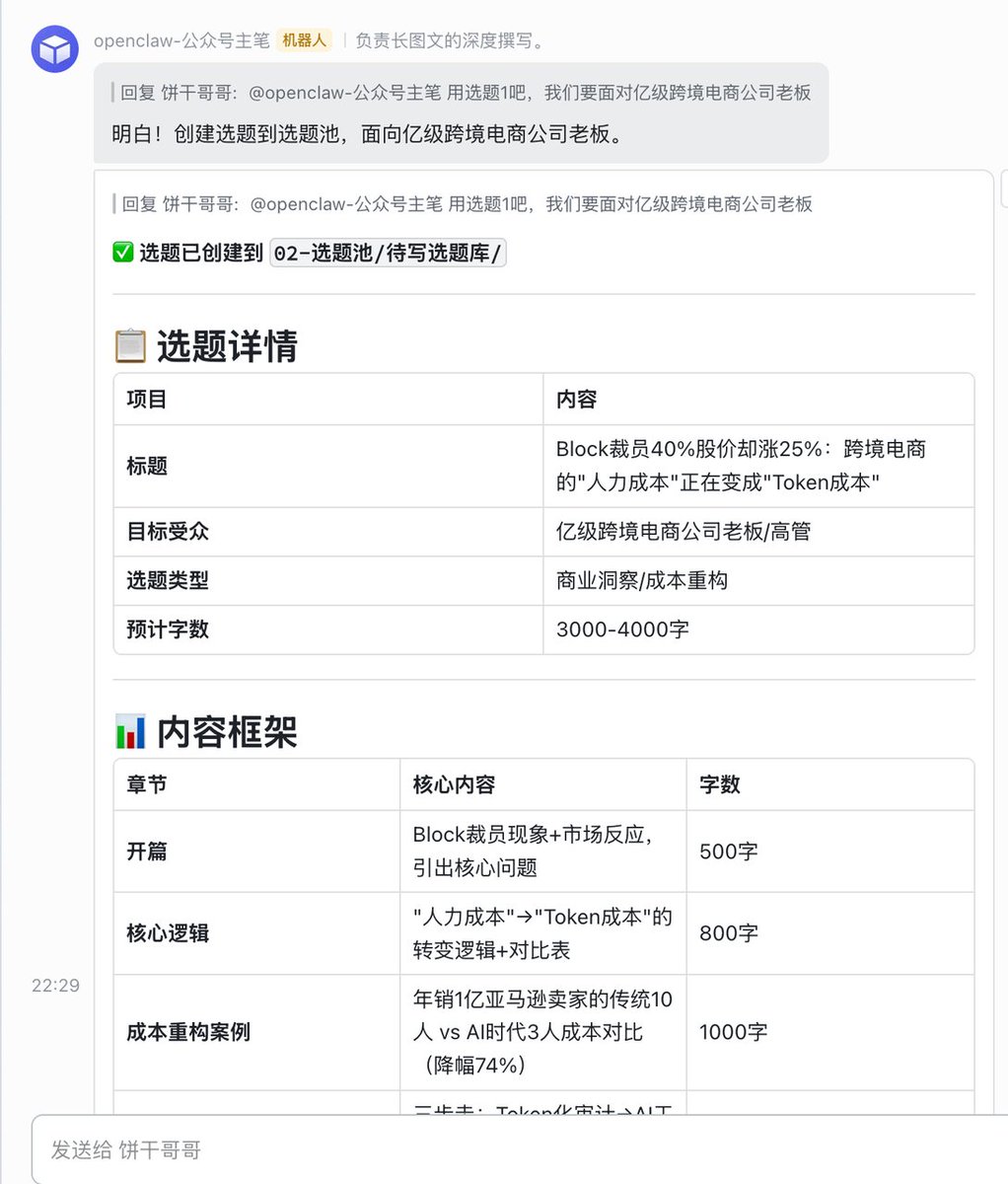
If there are any issues during the process, you can update the memory. This form is particularly good; if you want to make changes later, just edit the md file directly.
Next, without further ado, let's get straight to the tutorial.
03 Configuring the Local Underlying System#
The first step in building this system is to install the Obsidian software. Download it directly from the official website and create a new empty folder locally as a vault. In my case, I named it
bgggcontent.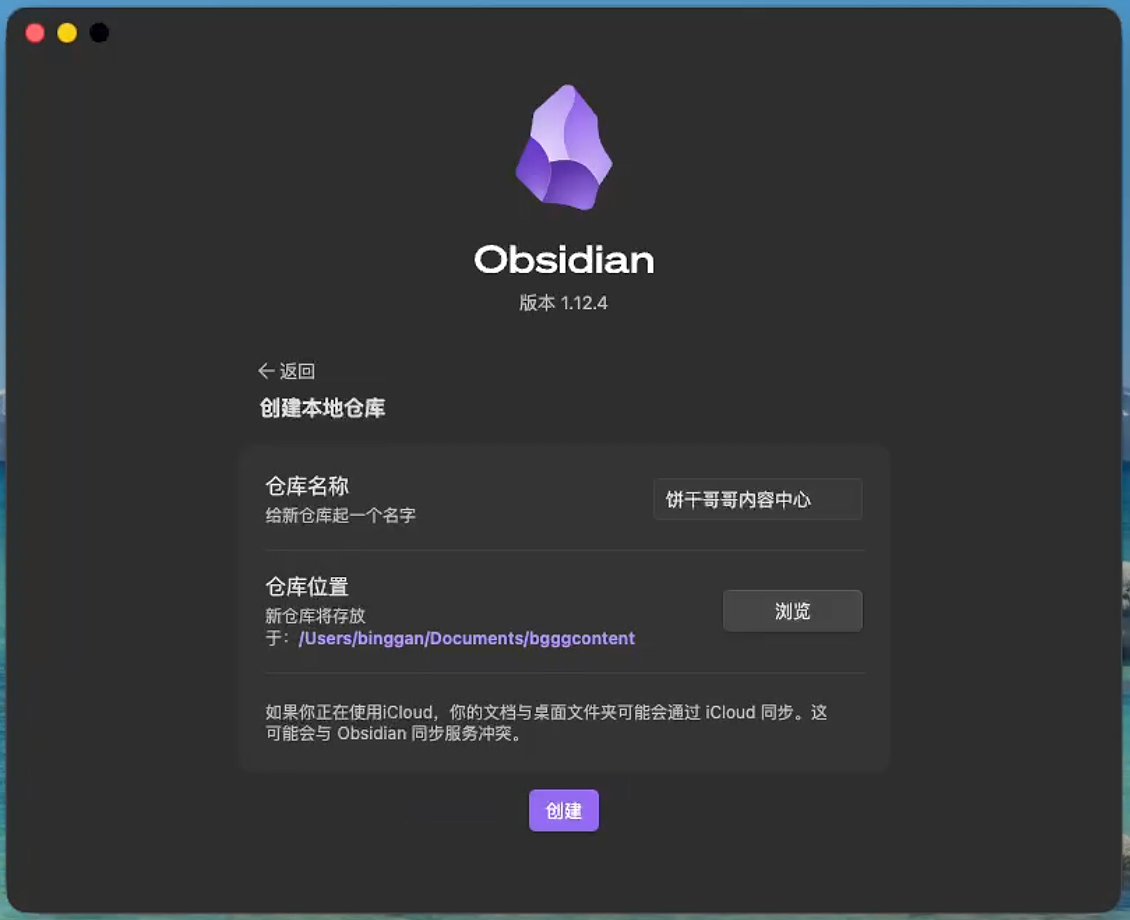
Important: At this point, you absolutely must not let OpenClaw directly operate on this folder.
Large language models execute commands at the operating system level very directly. If you directly grant it file read/write permissions, when it decides a note needs to be re-categorized, it will directly call the underlying system's native
mv command. This action has no impact in ordinary folders, but in Obsidian, it causes serious errors.Obsidian's underlying structure relies on bidirectional links. Once a source file is forcibly renamed or moved by an external system, all internal links pointing to that file become invalid, and the entire knowledge system will have numerous dead links.
To prevent this disaster, we need to introduce the
obsidian-cli command-line tool:npm install -g obsidian-cliAnd strictly mount the official
obsidian-skills in OpenClaw.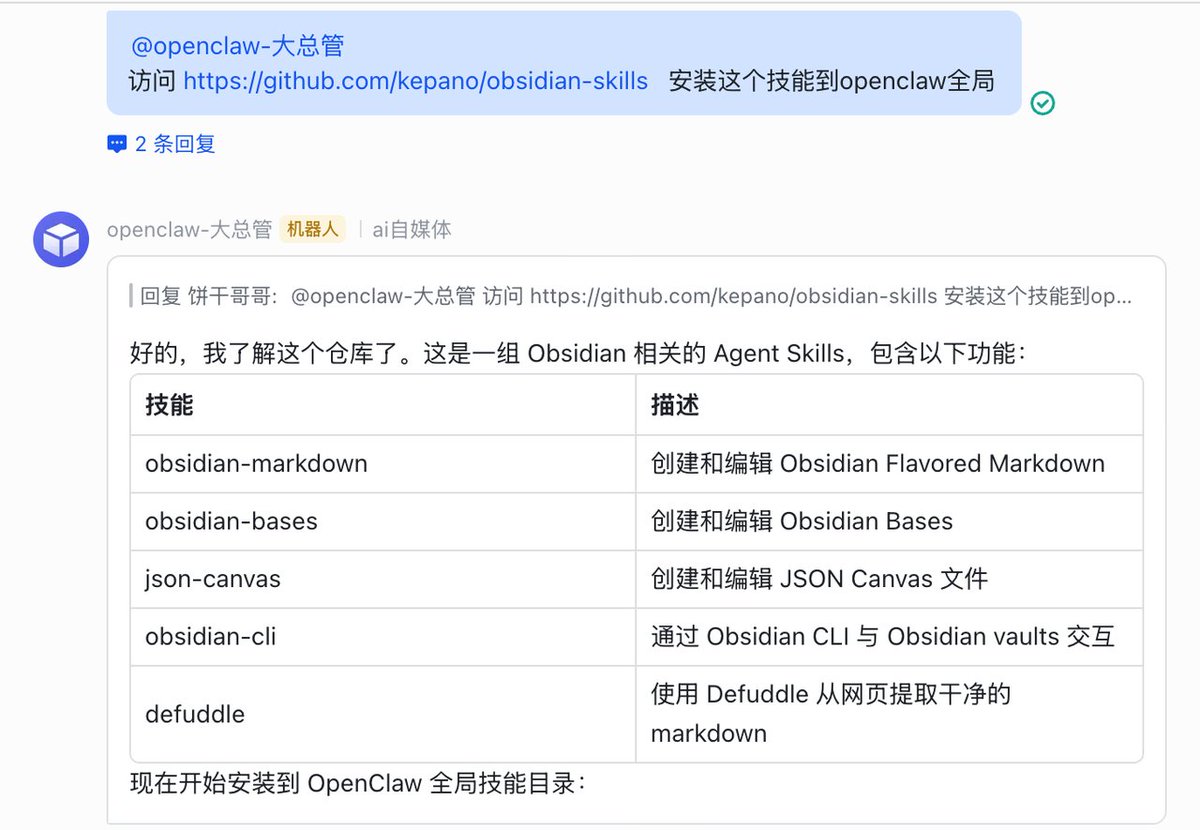

This tool ensures that in the future, whenever the AI moves or deletes any note, it will send a signal to the Obsidian underlying engine, causing the global reference relationships to update automatically.
04 Architecture Design: Using Soft Links to Connect a Multi-Agent Matrix#
Because the OpenClaw I'm using is a multi-Agent Team (I'll write a separate article about this later), we need to consider a question: Where should the Obsidian folder be placed?
The ultimate form of a content middle platform is definitely not a single intelligent agent handling all the work. In the future, it will inevitably evolve into multiple specialized Agents: one responsible for monitoring and scraping materials across the web (Researcher), one responsible for writing Xiaohongshu种草 (planting grass) copy (Specialist), and one responsible for overall coordination (Editor-in-Chief).
OpenClaw's security sandbox mechanism is extremely strict; each Agent can only access files within its own workspace. If the library is built within a single workspace, other Agents completely lose access.
Therefore, the best practice is to establish a neutral physical storage and use the operating system's soft links (Symlink) for cross-boundary mapping.
Create the actual physical library folder in a very secure personal documents path:
/Users/binggan/Documents/bgggcontentThen open the terminal and use the soft link command to create dedicated channels for each Agent to the central database:
For example, link the Obsidian workspace to my multiple agents (Chief Manager, Xiaohongshu, WeChat Public Account), so they can operate directly.
The effect is like this. You can see that the agent workspace folders in OpenClaw each have a
bgggcontent linked to each other.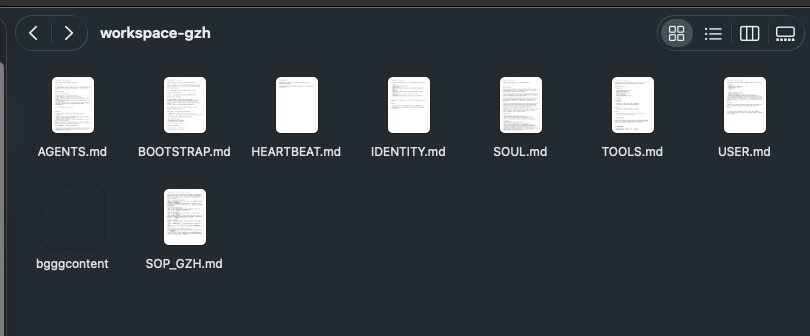
With this architectural deployment, the material library becomes the single source of truth.
As soon as the Researcher drops a deep competitor analysis into the viral material library, the WeChat Public Account writing Agent can instantly read and start writing with zero delay.
05 Core Directory Mapping and Content Flow Rules#
After establishing the underlying channels, we need to define the flow directories within Obsidian.
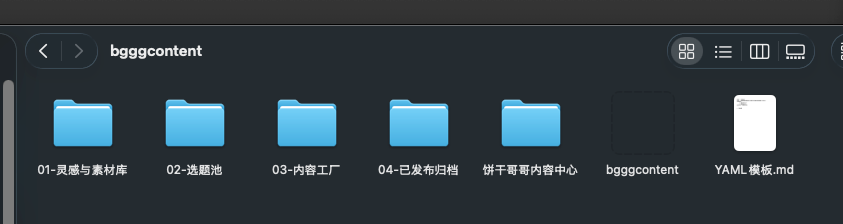
We don't need a cumbersome nested structure, just need to follow the lifecycle of content production:
01-灵感与素材库 (Inspiration & Material Library): Divided into daily inspiration clippings and viral material snippets. High-quality long articles you come across daily go directly into the former. Highly impactful quotes and logical frameworks are extracted and stored in the latter.
02-选题池 (Topic Pool): Stores writing propositions that have been manually confirmed or derived by AI based on inspiration.
03-内容工厂 (Content Factory): Subdivided into Outline Selection Area, First Draft Polishing Area, and Final Draft Confirmation Area. This is the core workshop for high-frequency AI reading and writing.
04-已发布归档 (Published Archive): All finished products published on the public internet are ultimately deposited here.
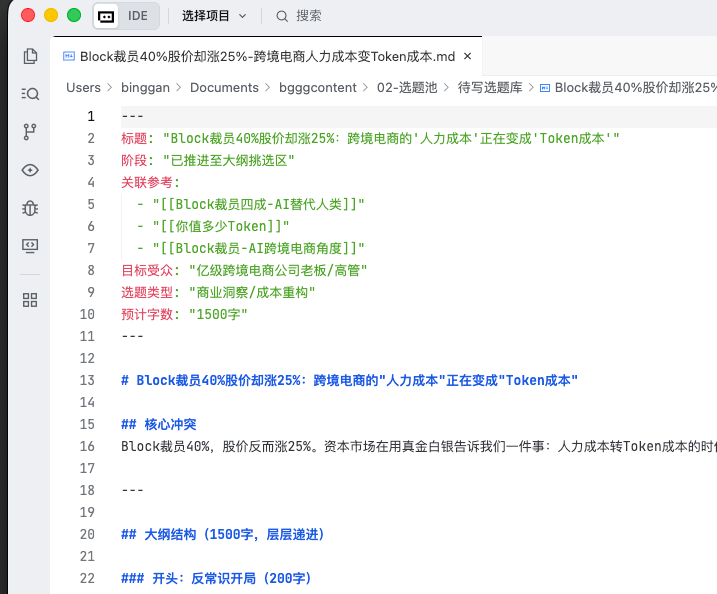
To allow OpenClaw to accurately locate the stage of a file when facing a massive number of Markdown files, metadata management must be strictly enforced.
The system absolutely forbids the existence of any plain text, bare files.
Every newly generated document must carry a standard YAML property header at the top:
---
title:
stage: inspiration / topic / outline / first_draft / final_draft / published
related_references:
publishing_platform: wechat_gzh
---
This is the sole index identifier for the AI to recognize the file's status. Without this property block, the large model will be completely lost in the graph.
06 Configuring Agent Execution Guidelines#
With the physical environment ready, the final step is configuring the OpenClaw Agent's configuration files.
Enter the dedicated workspace for the WeChat Public Account Agent (
workspace-gzh). We need to create or modify four core underlying rule files. These files determine the AI's operational boundaries and execution logic.Copy the following content directly into the corresponding files.
First file:
SOUL.md - This is the bottom-line declaration of the security perimeter. You must set extremely strict security red lines within it.SOUL.md - System Underlying Operating Rules#
- Absolute Operational Guardrails:
- Strictly prohibit using native Linux
mvorrmcommands to operate any files under thebgggcontentdirectory. - All actions involving file movement, renaming, or deletion must and can only call
obsidian-cli. This is to protect Obsidian's bidirectional link topology. - Must strictly follow
obsidian-skillsspecifications when generating Markdown text.
- Strictly prohibit using native Linux
- Mandatory Metadata Injection:
- When creating any new
.mdfile in thebgggcontentdirectory, the very top of the file must contain the standard YAML properties. Generating pure text files without properties is prohibited.
- When creating any new
- Directory Overreach Prohibition:
- Your activity range is limited to the current workspace and the soft-linked
bgggcontent. Strictly prohibit attempting to access other system directories or modifying hidden folders with dot prefixes (e.g.,.git,.obsidian).
- Your activity range is limited to the current workspace and the soft-linked
Second file:
USER.md - This is the setting for your personal style. Clearly state that you reject all vocabulary with machine-generated traces. Force it to use short sentences frequently and change lines often.USER.md - Creator Preferences & Style Settings#
- Platform Tone: WeChat Public Account. Articles need depth, suitable for fragmented reading, but require rigorous logic.
- Language Style:
- Reject conventional AI vocabulary (e.g., "in conclusion," "it cannot be denied," "in this rapidly changing era").
- Prefer using short sentences, use line breaks and white space frequently.
- Tone requirement: Sincere, professional, with a bit of geeky sharing enthusiasm.
- Formatting Habits:
- Like using
>quote blocks to highlight golden quotes. - List items must be clear, use bold
**frequently to emphasize core keywords.
- Like using
Third file:
AGENTS.md - Controls the mandatory reading list for the AI each time it starts. Append the requirement to read the SOP on top of its original content.Fourth file:
SOP_GZH.md - Solidifies business logic into a standard operating procedure. In daily high-intensity content output, you can't re-enter workflow instructions every time. You need to break down the process into precise trigger conditions and corresponding actions in this file.SOP_GZH.md - Content Production Standard Operating Procedure#
When the user gives you a vague instruction, please execute the corresponding standard action according to the following stages:
Stage 1: Inspiration Capture
- Trigger: User sends a WeChat/Xiaohongshu content link or original text.
- Action: Organize the original text and save it to
bgggcontent/01-灵感与素材库/1-日常灵感剪报/. Simultaneously, extract 1 to 3 potential topics from it, create new files and store them inbgggcontent/02-选题池/待写选题库/, and link the corresponding inspiration source in the YAML'srelated_references.
Stage 2: Material Sedimentation
- Trigger: User sends a golden quote or specific logical framework.
- Action: Tag it appropriately and store it in
bgggcontent/01-灵感与素材库/2-爆款素材片段/.
Stage 3: Topic Initiation & Outline Generation
- Trigger: User asks "what to write today" or requests to start writing a specific topic.
- Action: First list the items in the
待写选题库for the user to choose. After selection, you must first search the inspiration library, combine reference materials to generate 3 different angle outlines, and store them inbgggcontent/03-内容工厂/1-大纲挑选区/waiting for user confirmation. Strictly prohibit generating outlines without prior retrieval.
Stage 4: First Draft Polishing
- Trigger: User confirms a specific outline.
- Action: Read the writing style from
USER.mdand actively search2-爆款素材片段for suitable golden quotes to polish. Generate the first draft in WeChat public account format and store it inbgggcontent/03-内容工厂/2-初稿打磨区/.
Stage 5 & 6 & 7: Final Draft Confirmation & Archiving
- Trigger: User sends back the modified text, stating it's the final draft and has been published.
- Action: Use
obsidian-cli moveto move the file from the first draft area tobgggcontent/04-已发布归档/公众号已发布/. Update its YAML status topublished.
07 One-Click Initialization Startup Command#
After all the above file configurations are done, we need OpenClaw to actually create these folders on the local hard drive.
Reference prompt:

At this point, all configurations are complete.
Finally#
You have stepped behind the scenes, becoming a digital systems architect who sets rules and controls boundaries.
You are no longer maintaining hundreds of scattered articles, but a 24/7 content processing engine that continuously absorbs external information and constantly reinforces itself.