Beginner
What is Vibe Design? A Guide to Generating a Complete UI with One Sentence Using Stitch
What is Vibe Design? A Guide to Generating a Complete UI with One Sentence Using Stitch
As a die-hard Google fan, I'm particularly fond of their products, especially Stitch and NotebookLM.#
So, I'm very happy to see Stitch gaining so much popularity this time.
Here, I'll introduce what the Stitch product does and how to use it better.
In simple terms, Stitch is "You say, it draws." Tell it what interface you want, and it directly produces design mockups for you, with support for exporting to tools like Figma and AI Studio.
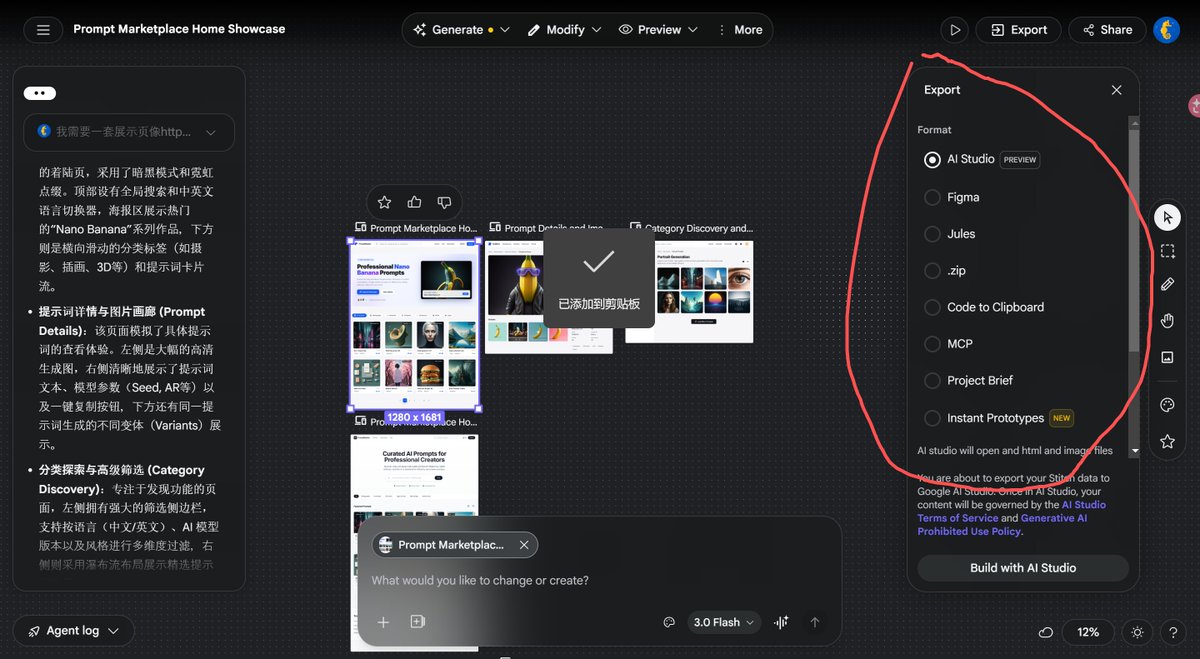
Three Major Update Highlights#
There are three highlights of this update that I really like. Not only did they redesign the entire UI, but they also added support for an infinite canvas.
- Voice Interaction
Now you can simply turn on the microphone and speak your ideas directly to it. Stitch will generate a series of design images in one go.

- Live Preview
The generated UI is no longer a static image. Take this player UI as an example: you can directly click buttons, see interactions, and genuinely experience it first.
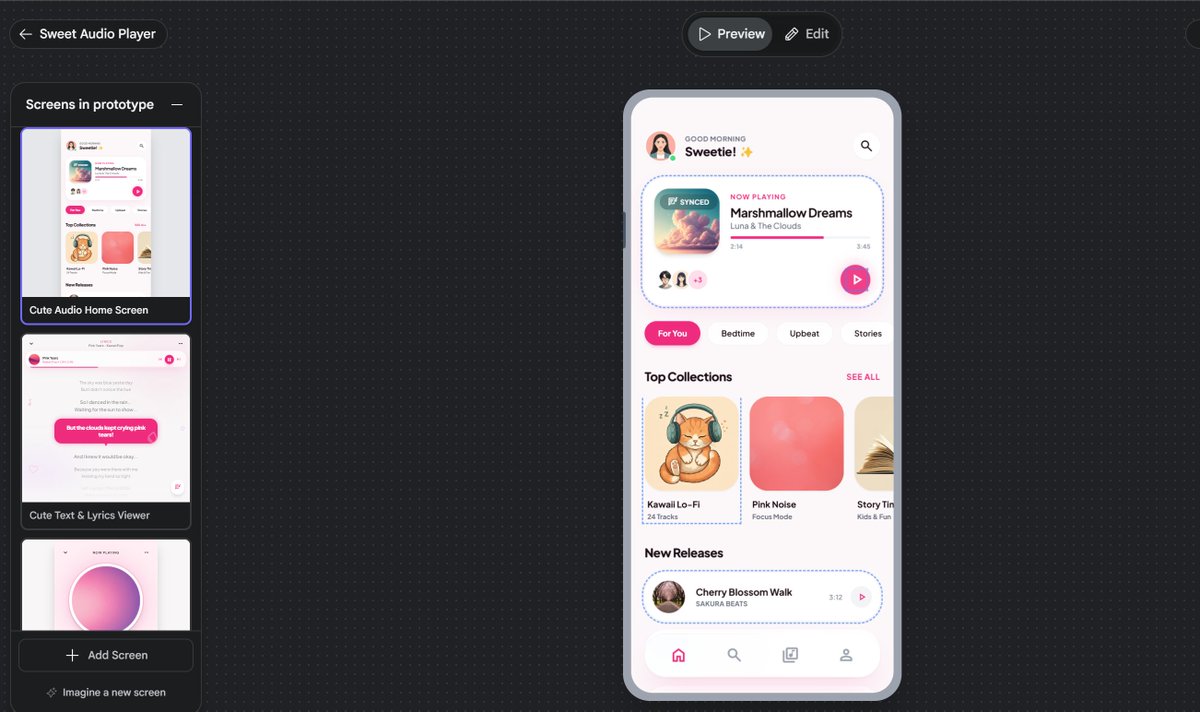
- Unified and Reusable Styles
You can have Stitch read the color scheme of an existing website, extract it, and automatically generate design mockups. You can also export them as DESIGN.md files.

If you already have a DESIGN.md file for your own project, you can directly import it into Stitch to maintain style consistency.

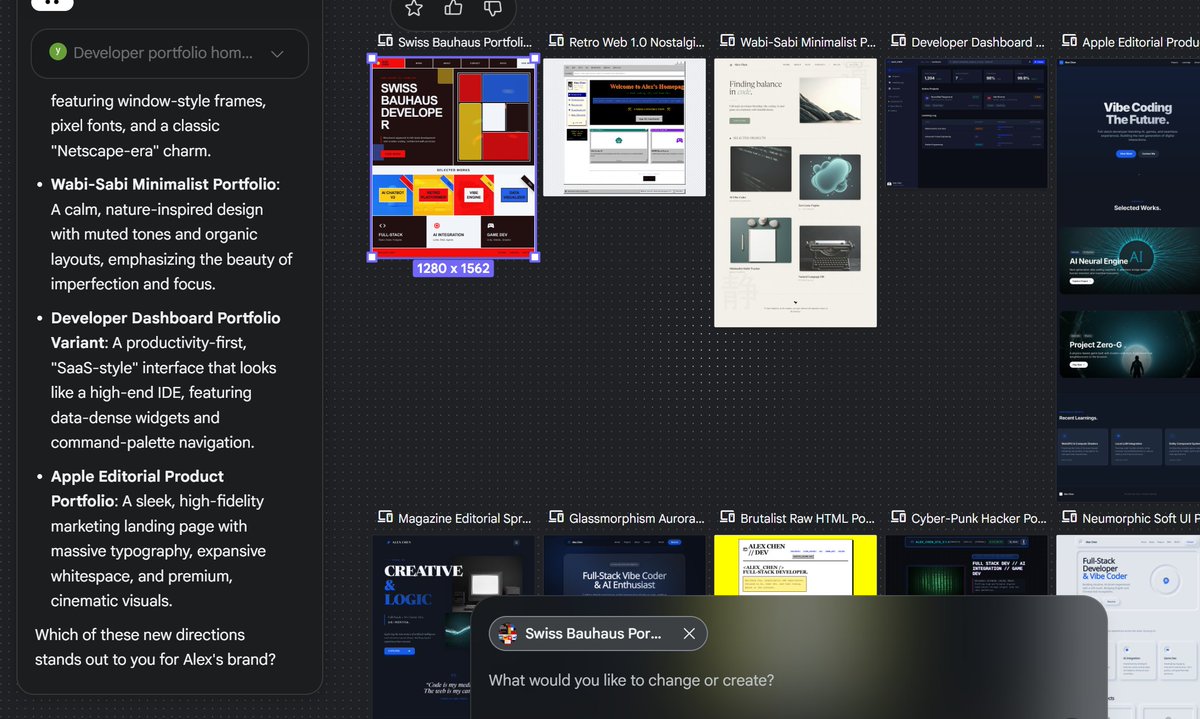
Google has even given this a special name: Vibe Design. Now you can even generate an entire app flow with a single prompt, containing multiple pages and themes. For example, take this prompt:
Create a mobile e-commerce app with home, product detail, cart, and checkout screens

Here's a pretty good result I generated earlier:
Stitch SDK#
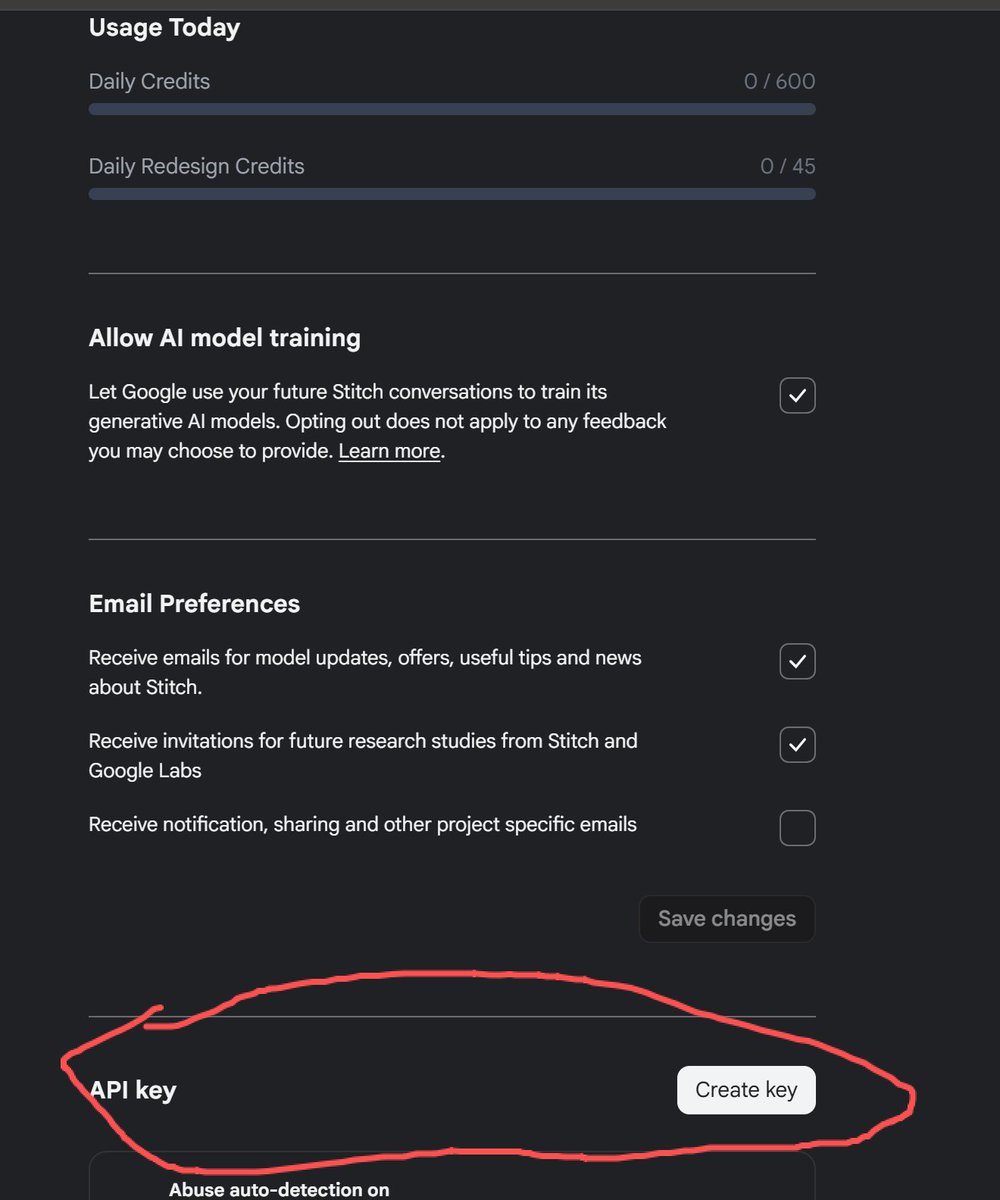
I have to strongly recommend the Stitch SDK here—think of it as the CLI version of Stitch, specifically designed for Agents to call. You don't need to manually chat on the web interface; just let your Agent automatically call Stitch based on project requirements. You can create your API Key here and also check your daily remaining quota.
I've been working on a wrapper Agent based on this SDK these past few days:
- Only requires providing backend API documentation
- Lets you choose/import a theme (or your own DESIGN.md file)
- Generates corresponding frontend pages with one click
It will be open-sourced soon, so stay tuned.
NotebookLM CLI#
Here, I'd also like to recommend a NotebookLM CLI project I wrote myself: it allows agents to automate operations within NotebookLM.
I used this NotebookLM CLI along with the Stitch SDK to build my own daily podcast app and website.
The website principle is as follows:
- NotebookLM researches + generates the podcast
- Uses Whisper for automatic subtitle generation and push
- Uploads to Vercel via GitHub
- Automatically pushes audio to Cloudflare R2 and converts it to a URL
- Inserts the URL into the page for fully automated delivery
Why go through all this trouble? Because audio files are large, and R2's free tier saves a lot of hassle.
It's now integrated into my own workflow. I just need to provide a topic, and the rest is basically handed off to NotebookLM, saving tokens while achieving good results.
I'll put all the project links in the comments section. If you're interested, feel free to try them out. Any questions are also welcome in the comments below 👇
Thread#
sdk#
https://x.com/IceBearMiner/status/2034530096170885601
https://t.co/MI8WVMJIcg
skills
https://t.co/GbrY04JNPw
Notebook cli
https://t.co/Lo0LoZTrDG