掌握 Agentic 未来
面向 AI 开发者的实战资源库。从基础到生产级智能体,一站学习。
热门话题

MiniMax H3 本地部署保姆级教程:从零装机到写出专业提示词,附实测数据
MiniMax H3 本地部署保姆级教程:从零装机到写出专业提示词,附实测数据

从零安装Qwen3.8-27B:Mac本地部署与性能调优指南
从零安装Qwen3.8-27B:Mac本地部署与性能调优指南

AI 工具导航站流量变现闭环分享
AI 工具导航站流量变现闭环分享

5 写好一份 Spec 的实战手册
5 写好一份 Spec 的实战手册
最近更新
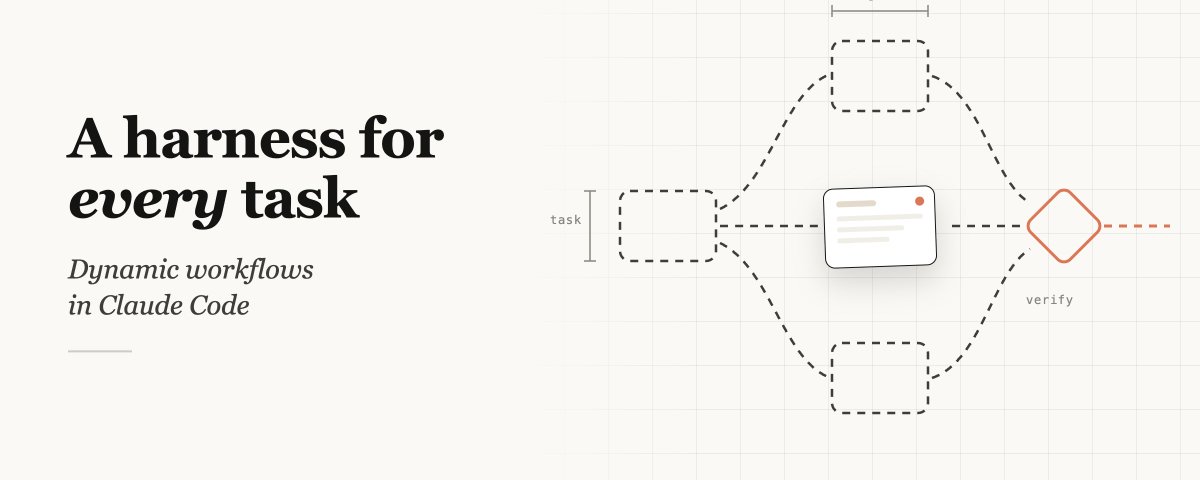
为每项任务量身定制:Claude Code 中的动态工作流
为每项任务量身定制:Claude Code 中的动态工作流

这应该是目前最接近正解的 Agent 记忆方案
这应该是目前最接近正解的 Agent 记忆方案

Anthropic Claude Code 实际工作原理:A-Z 深度解析
Anthropic Claude Code 实际工作原理(A-Z 深度解析)

怎么使用 Codex 和 Claude Code 重构前端 UI
怎么使用 Codex 和 Claude Code 重构前端 UI

18个改变一切的Claude设置。14个藏在3层菜单深处。4个在任何文档中都找不到。
18个改变一切的Claude设置。14个藏在3层菜单深处。4个在任何文档中都找不到。
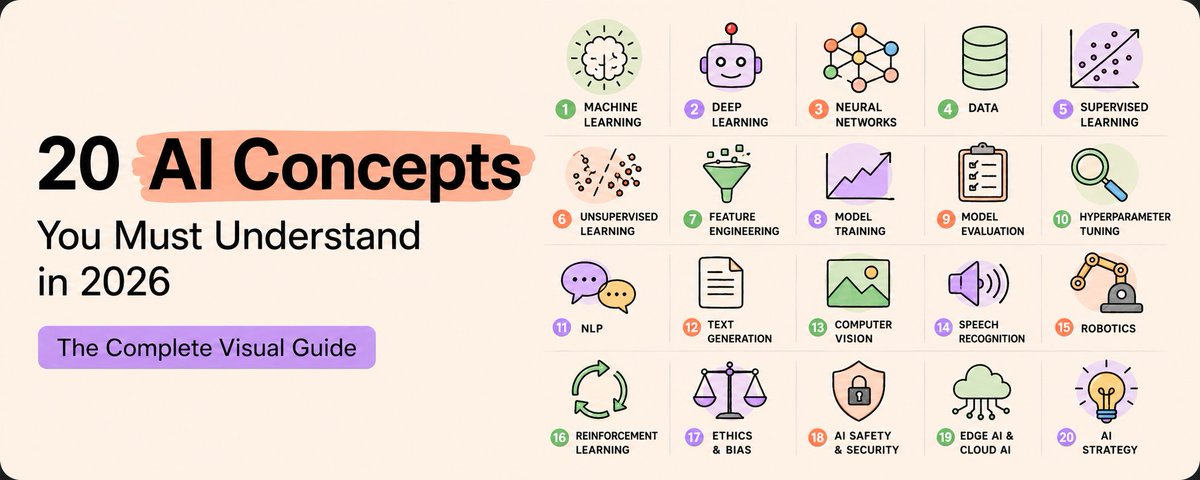
2026年你必须搞懂的20个AI核心概念
用大白话解释神经网络、Token、Embeddings、Transformer、RAG、AI Agents、RLHF、LoRA、量化和扩散模型等 20 个 AI 核心概念。

为什么你的agent项目总是难以落地
为什么你的agent项目总是难以落地

Agentic Design Patterns:一本让我重新理解"Agent 到底是什么"的书
Agentic Design Patterns:一本让我重新理解"Agent 到底是什么"的书

如何真正使用 Claude:解锁其 100% 潜能的 18 个步骤
如何真正使用 Claude:解锁其 100% 潜能的 18 个步骤

OpenAI、Anthropic 都开始押注 FDE,FDE 才是 Agent 时代的 PMF 范式?
OpenAI、Anthropic 都开始押注 FDE,FDE 才是 Agent 时代的 PMF 范式?

RAG 不会学习——Karpathy 的 LLM Wiki 颠覆了整个知识范式
RAG 不会学习——Karpathy 的 LLM Wiki 颠覆了整个知识范式

Claude Code 的真正威力,从你停止“提示”开始
Claude Code 的真正威力,从你停止“提示”开始
热门资讯
From Pivot Hell To $1.4 Billion Unicorn
In just a few years, James Hawkins took PostHog from an idea hacked together right before YC's W20 deadline to a unicorn powering product analytics for thousands of teams. In this episode...
How coding agents work
<p><em><a href="https://simonwillison.net/guides/agentic-engineering-patterns/">Agentic Engineering Patterns</a> ></em></p> <p>As with any tool, understanding how coding agents work under the hood can help you make better decisions about how to apply them.</p> <p>A coding agent is a piece of software that acts as a <strong>harness</strong> for an LLM, extending that LLM with additional capabilities that are powered by invisible prompts and implemented as callable tools.</p> <h2 id="large-language-models">Large Language Models</h2> <p>At the heart of any coding agent is a Large Language Model, or LLM. These have names like GPT-5.4 or Claude Opus 4.6 or Gemini 3.1 Pro or Qwen3.5-35B-A3B.</p> <p>An LLM is a machine learning model that can complete a sentence of text. Give the model the phrase "the cat sat on the " and it will (almost certainly) suggest "mat" as the next word in the sentence.</p> <p>As these models get larger and train on increasing amounts of data, they can complete more complex sentences - like "a python function to download a file from a URL is def download_file(url): ".</p> <p>LLMs don't actually work directly with words - they work with tokens. A sequence of text is converted into a sequence of integer tokens, so "the cat sat on the " becomes <code>[3086, 9059, 10139, 402, 290, 220]</code>. This is worth understanding because LLM providers charge based on the number of tokens processed, and are limited in how many tokens they can consider at a time.</p> <p>You can experiment with the OpenAI tokenizer to see how this works at <a href="https://platform.openai.com/tokenizer">platform.openai.com/tokenizer</a>.</p> <p>The input to an LLM is called the <strong>prompt</strong>. The text returned by an LLM is called the <strong>completion</strong>, or sometimes the <strong>response</strong>.</p> <p>Many models today are <strong>multimodal</strong>, which means they can accept more than just text as input. <strong>Vision LLMs</strong> (vLLMs) can accept images as part of the input, which means you can feed them sketches or photos or screenshots. A common misconception is that these are run through a separate process for OCR or image analysis, but these inputs are actually turned into yet more token integers which are processed in the same way as text.</p> <h2 id="chat-templated-prompts">Chat templated prompts</h2> <p>The first LLMs worked as completion engines - users were expected to provide a prompt which could then be completed by the model, such as the two examples shown above.</p> <p>This wasn't particularly user-friendly so models mostly switched to using <strong>chat templated prompts</strong> instead, which represent communication with the model as a simulated conversation.</p> <p>This is actually just a form of completion prompt with a special format that looks something like this.</p> <div class="codehilite"><pre><span></span><code>user: write a python function to download a file from a URL assistant: </code></pre></div> <p>The natural completion for this prompt is for the assistant (represented by the LLM) to answer the user's question with some Python code.</p> <p>LLMs are stateless: every time they execute a prompt they start from the same blank slate. </p> <p>To maintain the simulation of a conversation, the software that talks to the model needs to maintain its own state and replay the entire existing conversation every time the user enters a new chat prompt:</p> <div class="codehilite"><pre><span></span><code>user: write a python function to download a file from a URL assistant: def download_url(url): return urllib.request.urlopen(url).read() user: use the requests library instead assistant: </code></pre></div> <p>Since providers charge for both input and output tokens, this means that as a conversation gets longer, each prompt becomes more expensive since the number of input tokens grows every time.</p> <h2 id="token-caching">Token caching</h2> <p>Most model providers offset this somewhat through a cheaper rate for <strong>cached input tokens</strong> - common token prefixes that have been processed within a short time period can be charged at a lower rate as the underlying infrastructure can cache and then reuse many of the expensive calculations used to process that input.</p> <p>Coding agents are designed with this optimization in mind - they avoid modifying earlier conversation content to ensure the cache is used as efficiently as possible.</p> <h2 id="calling-tools">Calling tools</h2> <p>The defining feature of an LLM <strong>agent</strong> is that agents can call <strong>tools</strong>. But what is a tool?</p> <p>A tool is a function that the agent harness makes available to the LLM.</p> <p>At the level of the prompt itself, that looks something like this:</p> <div class="codehilite"><pre><span></span><code>system: If you need to access the weather, end your turn with <tool>get_weather(city_name)</tool> user: what's the weather in San Francisco? assistant: </code></pre></div> <p>Here the assistant might respond with the following text:</p> <div class="codehilite"><pre><span></span><code><tool>get_weather("San Francisco")</tool> </code></pre></div> <p>The model harness software then extracts that function call request from the response - probably with a regular expression - and executes the tool.</p> <p>It then returns the result to the model, with a constructed prompt that looks something like this:</p> <div class="codehilite"><pre><span></span><code>system: If you need to access the weather, end your turn with <tool>get_weather(city_name)</tool> user: what's the weather in San Francisco? assistant: <tool>get_weather("San Francisco")</tool> user: <tool-result>61°, Partly cloudy</tool-result> assistant: </code></pre></div> <p>The LLM can now use that tool result to help generate an answer to the user's question.</p> <p>Most coding agents define a dozen or more tools for the agent to call. The most powerful of these allow for code execution - a <code>Bash()</code> tool for executing terminal commands, or a <code>Python()</code> tool for running Python code, for example.</p> <h2 id="the-system-prompt">The system prompt</h2> <p>In the previous example I included an initial message marked "system" which informed the LLM about the available tool and how to call it.</p> <p>Coding agents usually start every conversation with a system prompt like this, which is not shown to the user but provides instructions telling the model how it should behave.</p> <p>These system prompts can be hundreds of lines long. Here's <a href="https://github.com/openai/codex/blob/rust-v0.114.0/codex-rs/core/templates/model_instructions/gpt-5.2-codex_instructions_template.md">the system prompt for OpenAI Codex</a> as-of March 2026, which is a useful clear example of the kind of instructions that make these coding agents work.</p> <h2 id="reasoning">Reasoning</h2> <p>One of the big new advances in 2025 was the introduction of <strong>reasoning</strong> to the frontier model families.</p> <p>Reasoning, sometimes presented as <strong>thinking</strong> in the UI, is when a model spends additional time generating text that talks through the problem and its potential solutions before presenting a reply to the user.</p> <p>This can look similar to a person thinking out loud, and has a similar effect. Crucially it allows models to spend more time (and more tokens) working on a problem in order to hopefully get a better result.</p> <p>Reasoning is particularly useful for debugging issues in code as it gives the model an opportunity to navigate more complex code paths, mixing in tool calls and using the reasoning phase to follow function calls back to the potential source of an issue.</p> <p>Many coding agents include options for dialing up or down the reasoning effort level, encouraging models to spend more time chewing on harder problems.</p> <h2 id="llm-system-prompt-tools-in-a-loop">LLM + system prompt + tools in a loop</h2> <p>Believe it or not, that's most of what it takes to build a coding agent!</p> <p>If you want to develop a deeper understanding of how these things work, a useful exercise is to try building your own agent from scratch. A simple tool loop can be achieved with a few dozen lines of code on top of an existing LLM API.</p> <p>A <em>good</em> tool loop is a great deal more work than that, but the fundamental mechanics are surprisingly straightforward.</p> <p>Tags: <a href="https://simonwillison.net/tags/coding-agents">coding-agents</a>, <a href="https://simonwillison.net/tags/generative-ai">generative-ai</a>, <a href="https://simonwillison.net/tags/agentic-engineering">agentic-engineering</a>, <a href="https://simonwillison.net/tags/ai">ai</a>, <a href="https://simonwillison.net/tags/llms">llms</a></p>
New Claude Upgrade Builds Interactive Diagrams
Introducing AI Works for Europe
Announcing AI Works for Europe, our new initiative to provide AI skills and training to help people and businesses across the continent.
Every AI Model Explained in 20 Minutes
资源库分区
开发者评价
Agent Cookbook 帮助我在短短两周内从零到构建生产级智能体。教程结构非常清晰。
学习 AI 智能体开发的最佳资源。社区案例既启发又有教育意义。
我们使用 Agent Cookbook 的知识构建了整个智能体基础设施。强烈推荐!