Beginner
The OpenClaw Chronicles: From Zero to Hero! Must-Read After Installation (40 Days of Hands-On Experience + Character Prompts)
The OpenClaw Chronicles: From Zero to Hero! Must-Read After Installation (40 Days of Hands-On Experience + Character Prompts)
The OpenClaw Chronicles: From Zero to Hero! Must-Read After Installation (40 Days of Hands-On Experience + Character Prompts)#
> Disclaimer: This article is from 𝕏 master @Shubham Saboo. I've organized and translated it into Chinese! You can follow him!
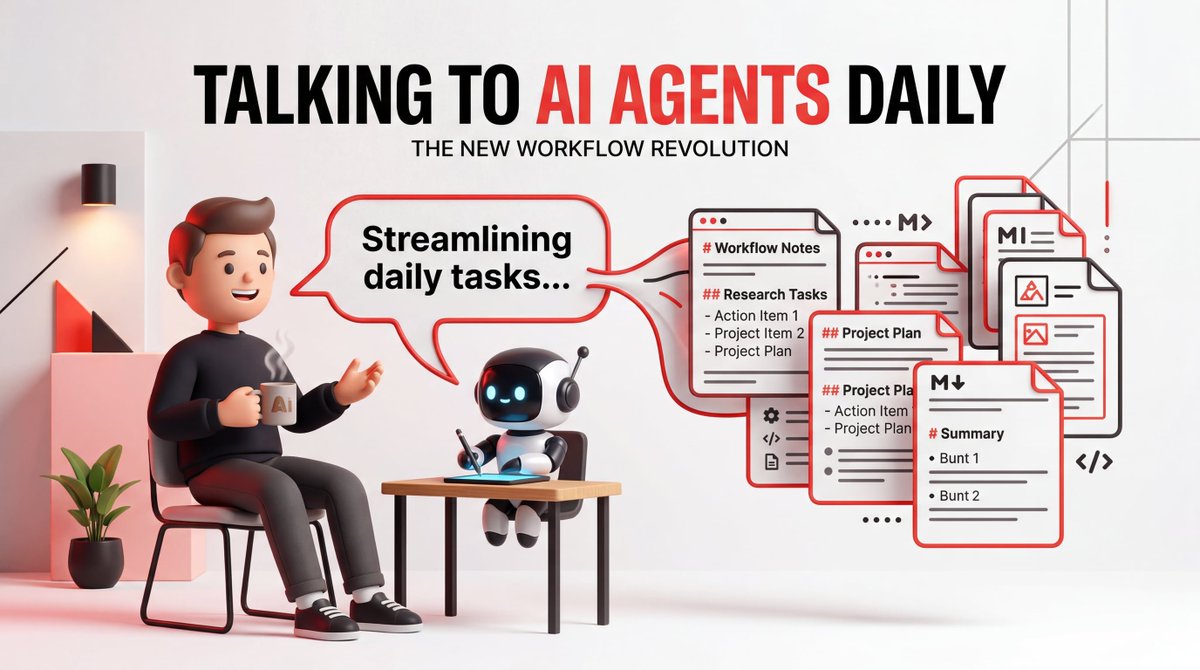
The only thing I did was talk to them.
Not tweaking prompts, not swapping models, not refactoring architectures. Just talking, giving feedback, watching them write it down.
> Disclaimer: This article is by overseas master Shubham Saboo. You can follow him! x:https://x.com/Saboo_Shubham_
40 days ago, my content agent wrote tweets full of emojis and hashtags, and my research agent buried valuable information in noise. I spent more time correcting errors than doing the work myself.
Today, Kelly drafts content in my tone, Dwight delivers 7 stories every morning, each worth reading. Eight agents run 24/7. I open Telegram, check the drafts, and have a cup of coffee.
The model used on Day 1 and Day 40 is the same. The difference lies in a set of Markdown files that grow richer every week.
This is that file system.
First, Understand One Thing#
> Agents don't get smarter just because you use them longer. But the files around them become richer, more precise, and more tailored to your needs. This accumulated context is the moat.
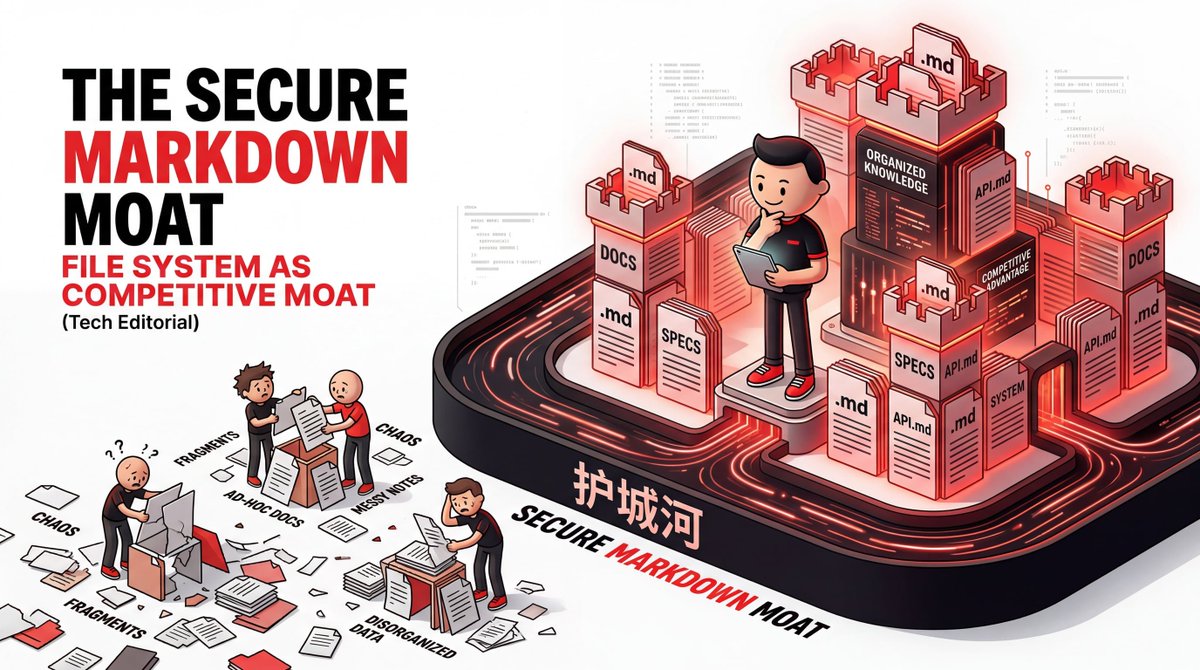
Many people spend a lot of time tweaking prompts, swapping models, and researching various orchestration frameworks. But the real difference isn't in the model; it's in the file system.
No message queues, no databases, no complex orchestration frameworks. The entire system is Markdown files on disk. The file system itself is the integration layer.
Sounds crude? You'll understand why this works better than any framework after reading.
Three-Layer Architecture, Clear at a Glance#
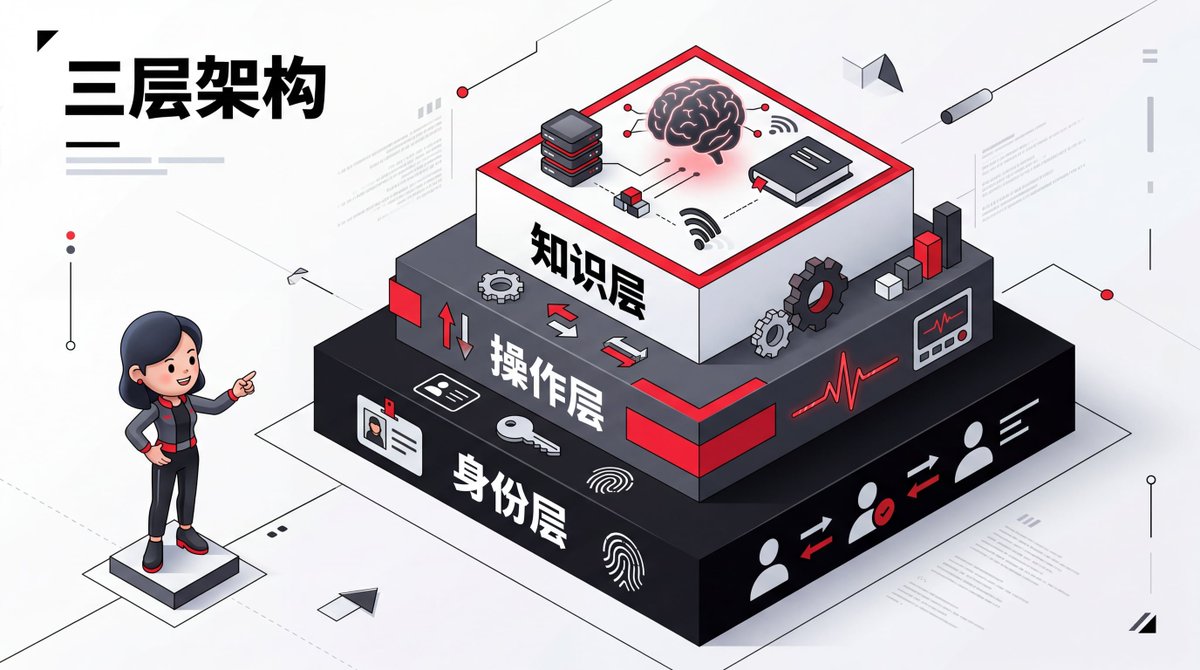
The entire operating system consists of three layers:
Figure 1: Three-layer file architecture
Each layer solves a core problem:
| Layer | Core Question | Files |
| :--- | :--- | :--- |
| Identity Layer | Who is this? Who does it serve? | SOUL.md, IDENTITY.md, USER.md |
| Operation Layer | How does it work? How does it self-heal? | AGENTS.md, HEARTBEAT.md |
| Knowledge Layer | What has been learned? | MEMORY.md, Daily Logs, Shared Context |
Let's break down each layer.
Layer 1: Identity Layer#
SOUL.md — Who is the agent?
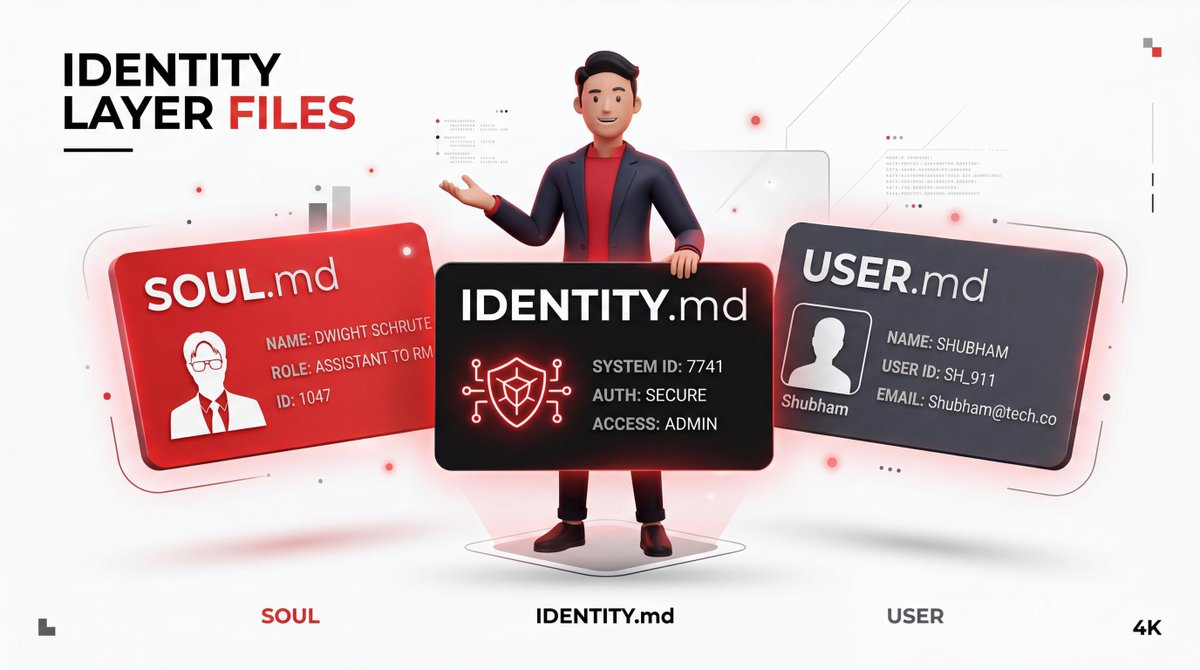
This is the agent's "personality file." It defines identity, responsibilities, and behavior.
An example for a research agent named Dwight:
# SOUL.md (Dwight)

**Name:** Dwight Schrute
**Role:** Lead Research Agent
**Mission:** To surface actionable intelligence that Alex can act on today.
**Core Principles:**
- If Alex cannot act on it today, skip it.
- Prioritize depth over breadth.
- Always include source links.
- Never summarize; quote the key sentence.
**Communication Style:** Direct, factual, no fluff.
**Output Format:** Bullet points, each with a headline, quote, and link.
IDENTITY.md — Quick Reference Card
SOUL.md is the full personality; IDENTITY.md is the business card.
# IDENTITY.md

**Name:** Dwight
**Role:** Research
**Status:** Active
**Last Run:** 2026-03-03 08:00
**Next Run:** 2026-03-03 16:00
The file is small, but when you're running 8 agents simultaneously, this design significantly improves the experience. This is also what the agent displays when sending you messages on Telegram.
USER.md — Who the Agent Serves
Every agent needs to know who it's helping.
# USER.md

**Name:** Alex
**Timezone:** PST
**Dietary Preference:** Vegetarian
**Working Hours:** 9 AM - 6 PM
**Current Focus:** AI agents, file-based workflows, developer tools
**Pet Peeves:** Emojis in professional writing, vague summaries
Personal details are more important than you think. Timezone means the agent won't schedule things for 3 AM. Dietary preference means Pam won't recommend a steakhouse when drafting a team dinner announcement. These details create a compounding effect.
Write it once, and all agents read it.
Layer 2: Operation Layer#
AGENTS.md — Behavioral Rules
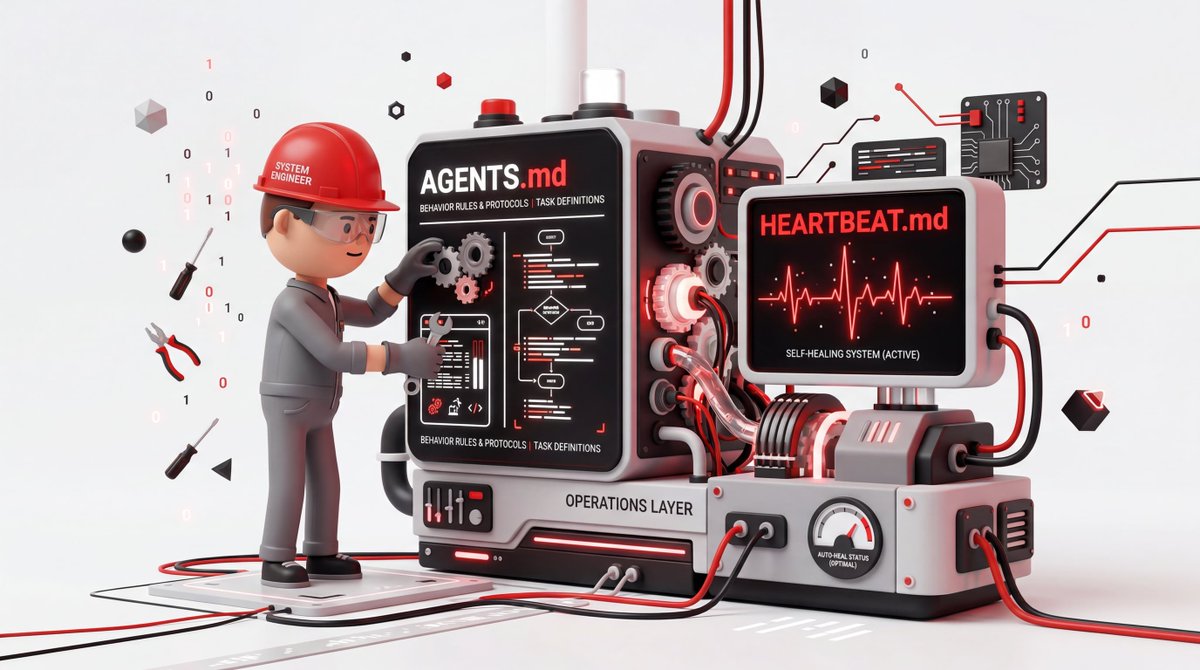
SOUL.md defines who the agent is; AGENTS.md defines how it operates: session startup process, file reading order, memory management, safety rules.
The root-level AGENTS.md inherited by all agents:
# AGENTS.md

**Session Startup:**
1. Read SOUL.md
2. Read IDENTITY.md
3. Read USER.md
4. Read MEMORY.md
5. Read today's log
6. Read yesterday's log
**Memory Management:**
- If a correction is given, write it to MEMORY.md
- If a pattern emerges, distill it into a principle
- Never assume the agent remembers from last session
**Safety Rules:**
- Never delete files without confirmation
- Never run commands outside the sandbox
- Always log actions before execution
Agents have no memory between sessions; they start from scratch each time. If a correction isn't written to a file, it doesn't exist for the next session. AGENTS.md makes this explicit, ensuring the agent writes everything down.
Each agent can extend its own rules on top of this. Kelly's AGENTS.md adds 6 extra files: writing style guide, post format reference, real examples, daily tasks...
HEARTBEAT.md — Self-Healing Mechanism
Agent teams are infrastructure, and infrastructure fails.
Monica's HEARTBEAT.md monitors two things:
- Is the browser alive? — Dwight's intelligence scanning depends on it.
- Are scheduled tasks executing? — If missed, Kelly and Rachel work based on stale intelligence.
I got burned in the third week. There was a bug in the scheduler; tasks progressed in the queue but never actually executed. I didn't notice for hours. After that, I built the heartbeat mechanism, incorporating failure modes into monitoring.
You don't need this on day one. Build it after your first failure. You'll know exactly what to monitor because you've personally experienced what can break.
Layer 3: Knowledge Layer#
This is the truly effective memory system — a three-level file-based hierarchy.
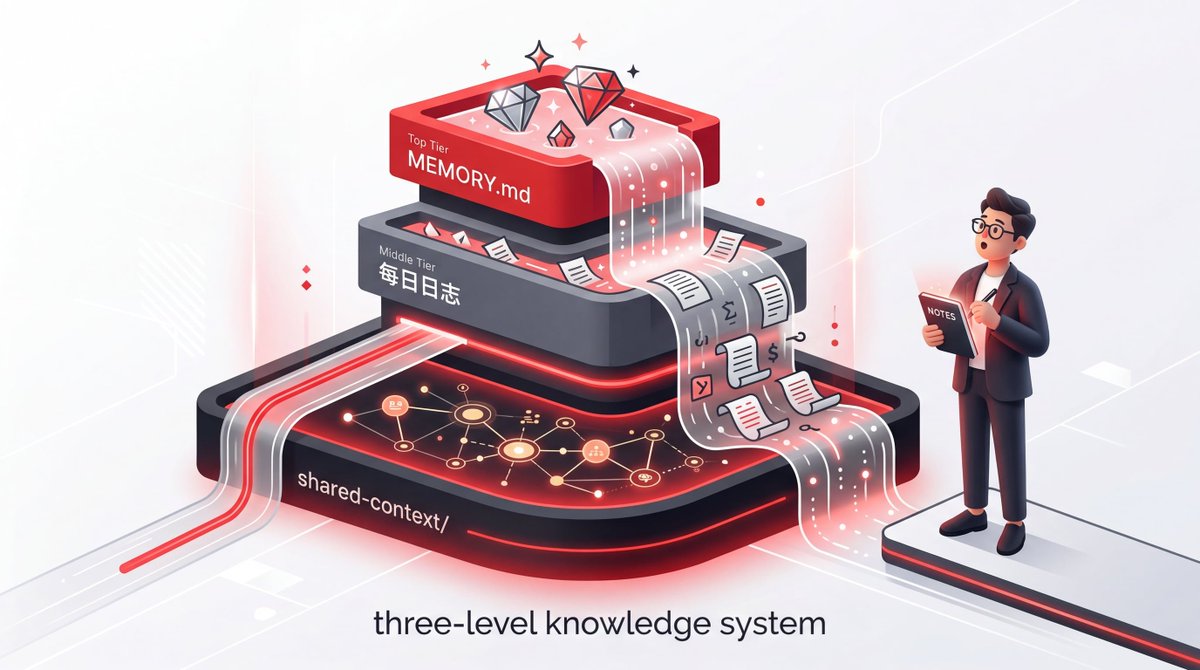
Level 1: MEMORY.md (Essential Long-Term Memory)
Not raw logs, not everything that happened, but what's truly important.
# MEMORY.md

**Core Principles (Updated 2026-03-03):**
- Always include source links
- Never use emojis in professional writing
- If Alex cannot act on it today, skip it
**Lessons Learned (The Hard Way):**
- 2026-02-15: Deleted project folder. Never delete without confirmation.
- 2026-02-20: Summarized instead of quoting. Always quote the key sentence.
**What Not to Do:**
- Never suggest steak restaurants (Alex is vegetarian)
- Never schedule meetings outside 9 AM - 6 PM PST
- Never use markdown in Telegram messages
Note the "Lessons Learned (The Hard Way)" and "What Not to Do" sections. Monica deleted a project folder; this mistake is now permanently written into her long-term memory. She will never make the same mistake again.
One correction, stored once, prevents the same error from recurring in every future session. This section alone is more valuable than any prompt engineering guide.
Level 2: Daily Logs (Raw Records)
Daily logs are the raw material; MEMORY.md is the refined product. Both are essential.
Maintenance rule: Daily logs accumulate quickly. Without pruning, the agent's context balloons. Kelly's log once reached 161,000 tokens, and output quality plummeted. It had to be compressed to 40,000. Only load today's and yesterday's logs each time.
Level 3: shared-context/ (Cross-Agent Knowledge Layer)
This is the latest addition and the game-changer.
THESIS.md is my current thinking framework: what I'm focusing on, what I've already written, what gaps remain. Dwight reads it to prioritize research; Kelly reads it to align with my thinking. Every agent aligns to a single source of truth.
FEEDBACK-LOG.md is the cross-agent correction layer. When I tell Kelly "Don't use dashes," this feedback applies to Rachel, Ryan, and Pam as well. Instead of correcting four agents individually, I write it once, and everyone reads it.
> This single change saved more time than any prompt optimization I've ever done.
How Agents Collaborate#
No API calls, no message queues, just files.
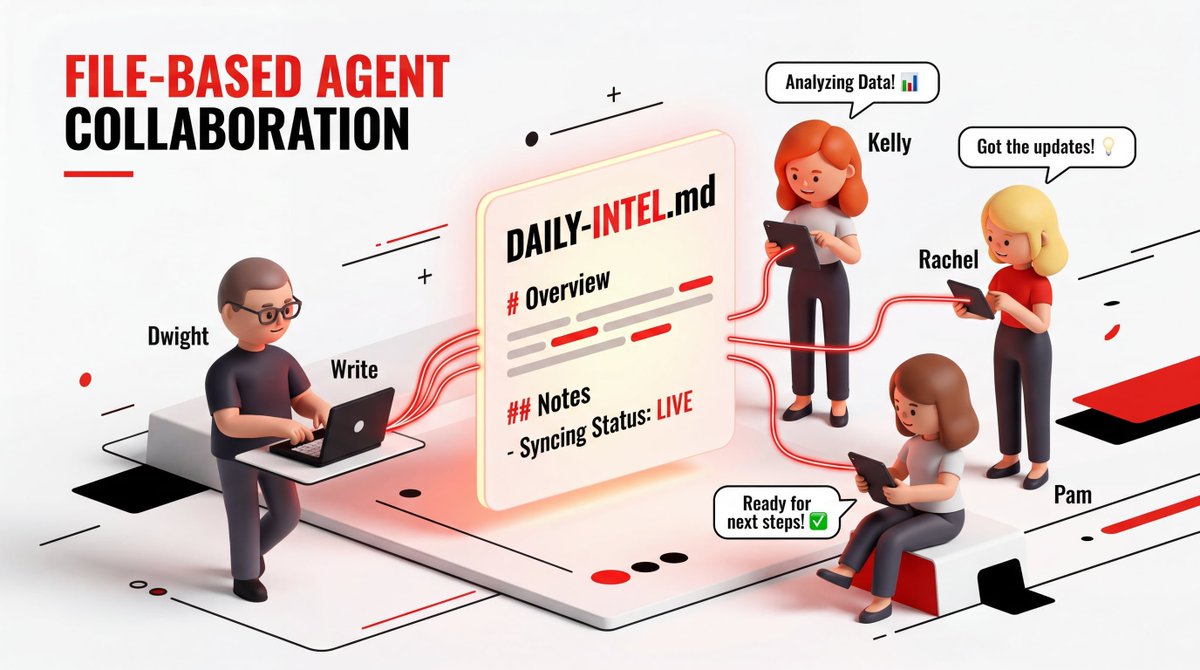
Dwight writes research into
intel/DAILY-INTEL.md. Kelly reads it, Rachel reads it, Pam reads it. Collaboration is the file system.Figure 2: File-based collaboration workflow
Single-writer principle: Never let two agents write to the same file simultaneously. Design each shared file for one writer, multiple readers. This prevents all the coordination conflicts you'd otherwise need to debug.
Scheduling makes this possible: Dwight runs at 8 AM and 4 PM; Kelly and Rachel run at 5 PM. Dwight runs first because everyone depends on his output. Get the order wrong, and downstream agents read stale or empty files.
Complete Directory Structure#
agents/
├── dwight/
│   ├── SOUL.md
│   ├── IDENTITY.md
│   ├── AGENTS.md
│   ├── MEMORY.md
│   └── logs/
│       ├── 2026-03-02.md
│       └── 2026-03-03.md
├── kelly/
│   ├── SOUL.md
│   ├── IDENTITY.md
│   ├── AGENTS.md
│   ├── MEMORY.md
│   └── logs/
│       ├── 2026-03-02.md
│       └── 2026-03-03.md
├── shared-context/
│   ├── THESIS.md
│   └── FEEDBACK-LOG.md
└── USER.md
Why This Method Works#
Files aren't static; they evolve.
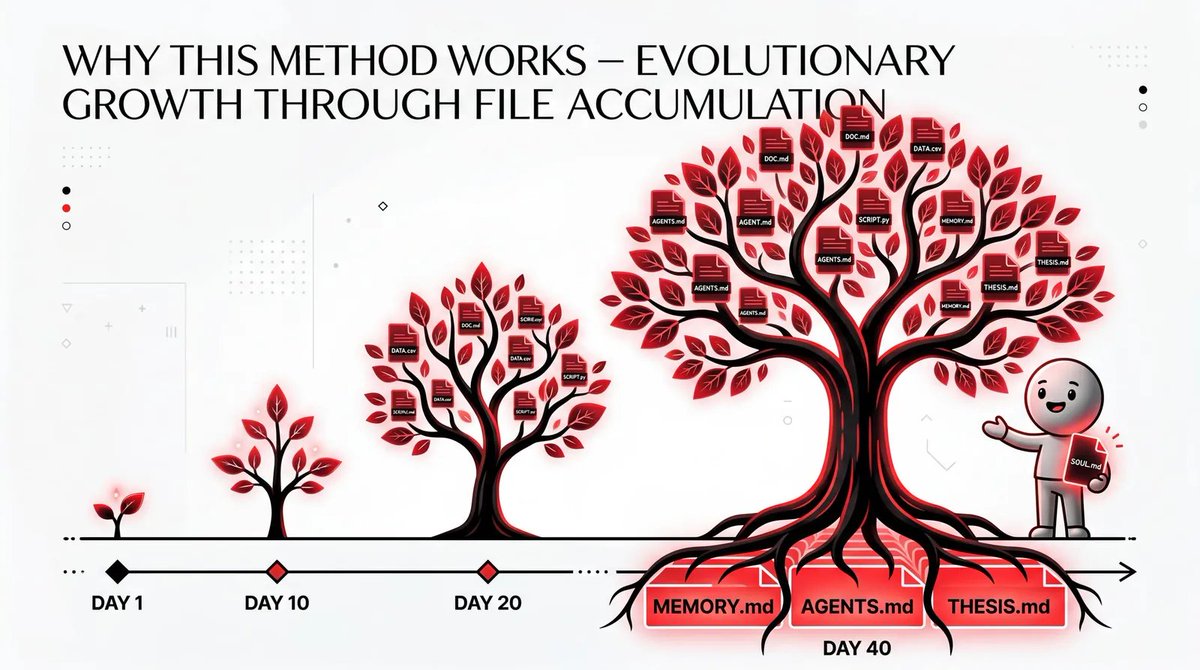
Kelly's SOUL.md was a rough draft on day one. By day 40, it had specific tone examples, a list of her own rejected patterns, and a "Never Suggest Again" section.
Dwight's principle on day one was "Find trending topics." By day 10, it became "Skip if Alex cannot act on this today." By day 20, he added a verification step.
The shared context layer didn't exist until day 20. I was repeating the same corrections to multiple agents. Later, I created THESIS.md and FEEDBACK-LOG.md. Suddenly, one correction propagated everywhere.
The model on day 1 and day 40 is the same. It doesn't get smarter just because you use it longer.
But the files around it become richer, more precise, and more tailored to your specific needs.
This accumulated context is the moat. No one can replicate it by using the same model.
You earn it by showing up every day and talking to your agents.
How to Start (Don't Try to Build It All in One Weekend)#
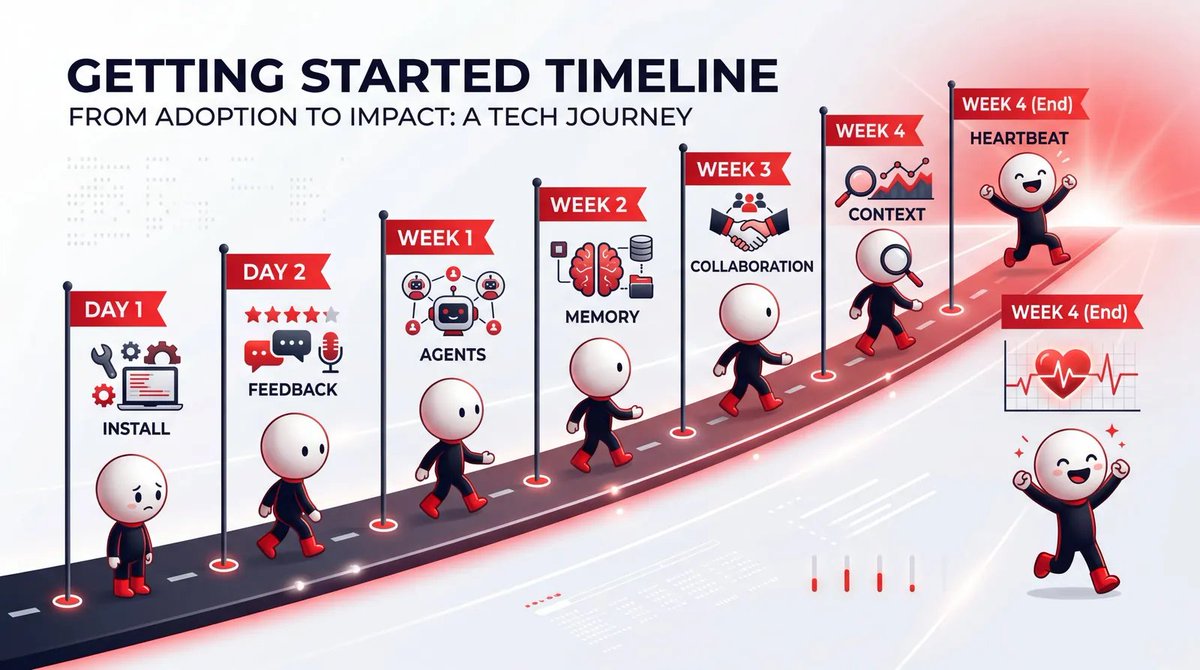
| Time | Action |
| :--- | :--- |
| Today | Install OpenClaw. Write one SOUL.md, IDENTITY.md, USER.md. Pick your most repetitive daily task. Set a scheduled task to run it. |
| 3 Days Later | Start giving specific feedback. Ensure feedback lands in memory files, not just chat history. |
| 1 Week Later | Create AGENTS.md. Define the session startup process. Add memory management rules. |
| 2 Weeks Later | Start writing MEMORY.md. Review daily logs. Distill recurring corrections into permanent entries. You'll start feeling the compounding effect here. |
| 3 Weeks Later | Add a second agent. Establish file-based collaboration. Add role-specific guides as patterns emerge. |
| Around the Same Time | Build the shared context layer. Use THESIS.md to record current thinking. Use FEEDBACK-LOG.md to manage cross-agent corrections. |
| 4 Weeks Later | Add HEARTBEAT.md after your first failure. |
Final Words#
The only thing you need to do is talk to your agents. The files will handle the rest.
Not tweaking prompts, not swapping models, not refactoring architectures.
Just talk. Give feedback. Watch them write it down.
Then one day you open Telegram, check the drafts, and have a cup of coffee.
Your agents have learned how to work for you.
Reference: Shubham Saboo "How to Build OpenClaw Agents That Actually Evolve Over Time"
From: https://x.com/Saboo_Shubham_/status/2027463195150131572
Organized and Translated by: Berryxia.ai
Discussion: 358848136