Beginner
Holy Smokes, Obsidian's One-Sentence Diagramming Tool, 1600 Stars
Holy Smokes, Obsidian's One-Sentence Diagramming Tool, 1600 Stars
Holy Smokes, Obsidian's One-Sentence Diagramming Tool, 1600 Stars#
I've been using this Obsidian tool myself!!!
Do you ever have this pain: you finish reading an article and want to create a mind map, but you open various tools, struggle for ages, and the result looks terrible???
Today, I'm sharing an open-source project on GitHub with 1600 stars called
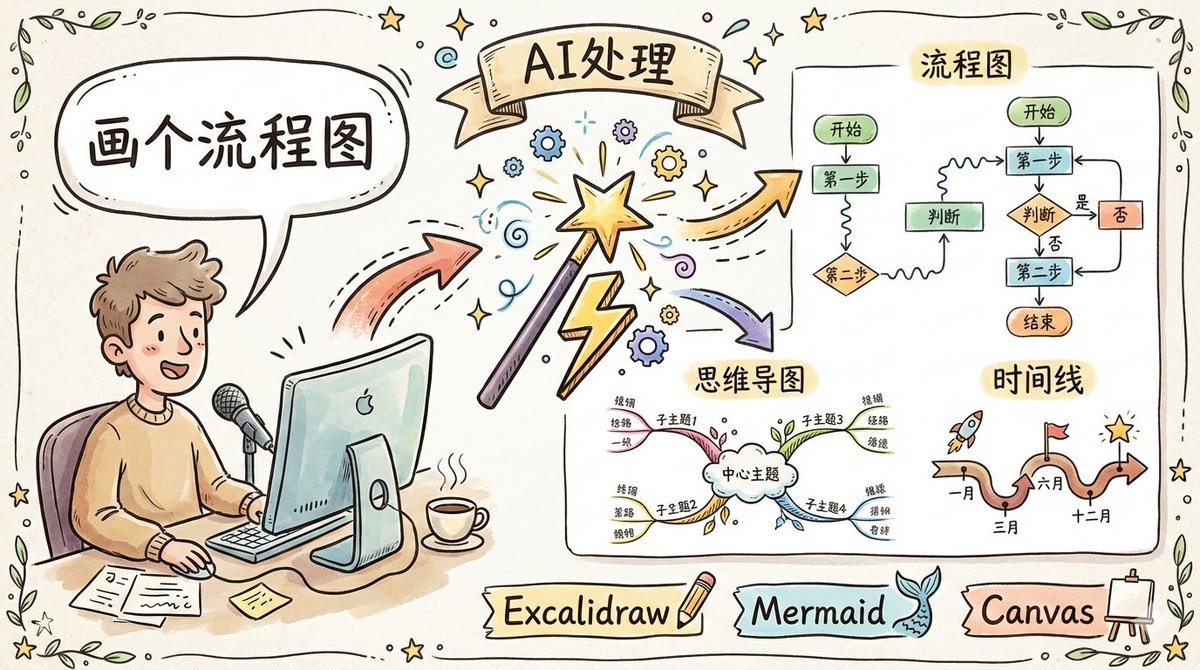
axton-obsidian-visual-skills. In one sentence: in Obsidian, you use natural language to say one sentence, and AI directly draws a hand-drawn style diagram for you!!!Flowcharts, mind maps, timelines, comparison charts... you name it, it draws it. And the output is in that hand-drawn style, not rigid boxes and lines. It's seriously amazing 😂
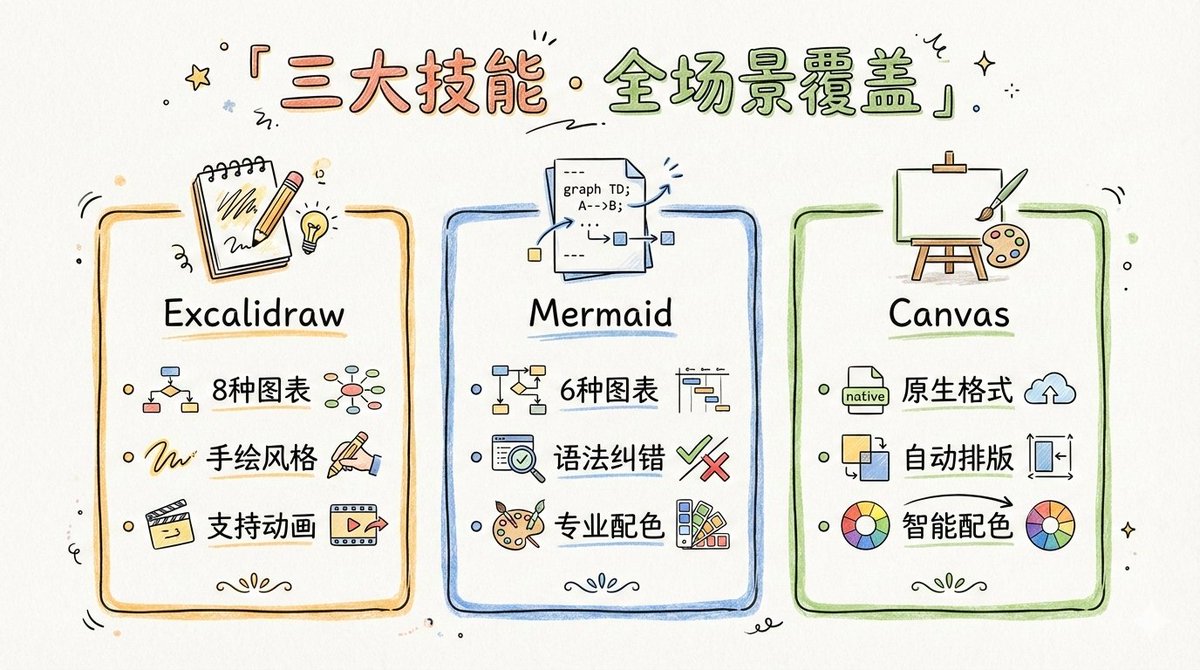
Three Skills Covering All Diagramming Scenarios#
This project is actually a skill pack containing three Claude Code Skills:
-
Excalidraw Diagram Generator This is my favorite!!! The generated diagrams are all in hand-drawn style, with 8 chart types to choose from: flowcharts, mind maps, hierarchical charts, relationship diagrams, comparison charts, timelines, matrix charts, freeform layouts. It even supports Chinese! And it can do animations!!!
-
Mermaid Visualizer 6 chart types, comes with syntax error correction, so you don't have to worry about writing Mermaid syntax wrong. You can choose vertical or horizontal layout, simple or detailed, and the color schemes are professional-grade.
-
Obsidian Canvas Creator Directly generates native Obsidian
.canvasfiles, with two layout modes: mind map-style radial, or free positioning. Nodes are automatically colored, automatically connected, and automatically arranged.
Combined, these three skills can basically draw any diagram you can think of!!!
Installation is Ridiculously Simple#
Two ways:
Method 1: Plugin Marketplace (Recommended)
> /plugin marketplace add axtonliu/axton-obsidian-visual-skills
> /plugin install obsidian-visual-skills
Two commands, done.
Method 2: Manual Installation
Clone the project and drop the
skill folder into ~/.claude/skills/.Prerequisites: you need to have Claude Code CLI and Obsidian, and the Excalidraw plugin also needs to be installed.
How Awesome is it to Use?#
Just talk to Claude in plain language:
- "Help me draw a flowchart for a CI/CD pipeline."
- "Organize this article into a mind map."
- "Draw a sequence diagram for user registration using Mermaid."
- "Create a Canvas comparing the pros and cons of React and Vue."
It generates it for you, and you can open it directly in Obsidian to view. The hand-drawn style diagrams look great for PPTs, documentation, or tweets 🔥

Cost? Zero!#
MIT open-source license, completely free.
The only cost is the Claude Code API call fee, but drawing one diagram costs just a few cents.
Compared to those diagramming tools that charge dozens of dollars per month, the value for money here is off the charts!!!
Lao Yang's Summary#
Honestly, if Obsidian users are still drawing diagrams by hand, they're really missing out.
This project:
- One-sentence generation of hand-drawn style charts
- Three skills covering all scenarios
- Supports Chinese, supports animations
- Completely free and open-source
- 1600 stars, community-approved
The only thing to note is the project is marked as experimental, and output quality may vary with different model versions, but in my tests, the results are already very impressive.
Obsidian folks, install it now! If you have questions, complain in the comments, Lao Yang is always here to reply 😂
> Project address: github.com/axtonliu/axton-obsidian-visual-skills