Beginner
Step-by-Step Guide to Configuring OpenClaw Multi-Agent × Telegram Group Automation System (Includes Easter Egg)
🦞 A step-by-step guide to configuring the OpenClaw multi-agent × Telegram group automation system, includes an easter egg.
My first crayfish died on multi-agent configuration. I searched the entire internet, but no one explained it clearly. Finally, I figured out the Telegram group chat multi-agent configuration through my own exploration.
First, I'm currently using Claude Sonnet 4.6. The pitfalls I encountered earlier were largely due to the model. I previously used GPT CODEX, which had various errors and bugs. Choosing a smart and reliable large model is very important!
It is recommended to read the entire article before configuring to note the pitfalls in advance. There's an easter egg at the end.
───
Design the framework in advance. My framework is as follows:
【Architecture Design】
One master, three assistants, each with its own responsibilities:
• 🦞 Lobster Manager = Dispatch hub, monitors group messages, distributes tasks
• 📊 Big Cake = Market analysis + Daily morning report (scheduled & stable)
• 🎨 Ice Ice = Tweet polishing + PPT + Infographics (on-demand creation)
• 💻 Ethereum = Code + Quant + Automation (technical execution)
Each Agent → Independent TG Bot → Independent workspace → Shared skills library
───
【Core Steps for Telegram Group Configuration】
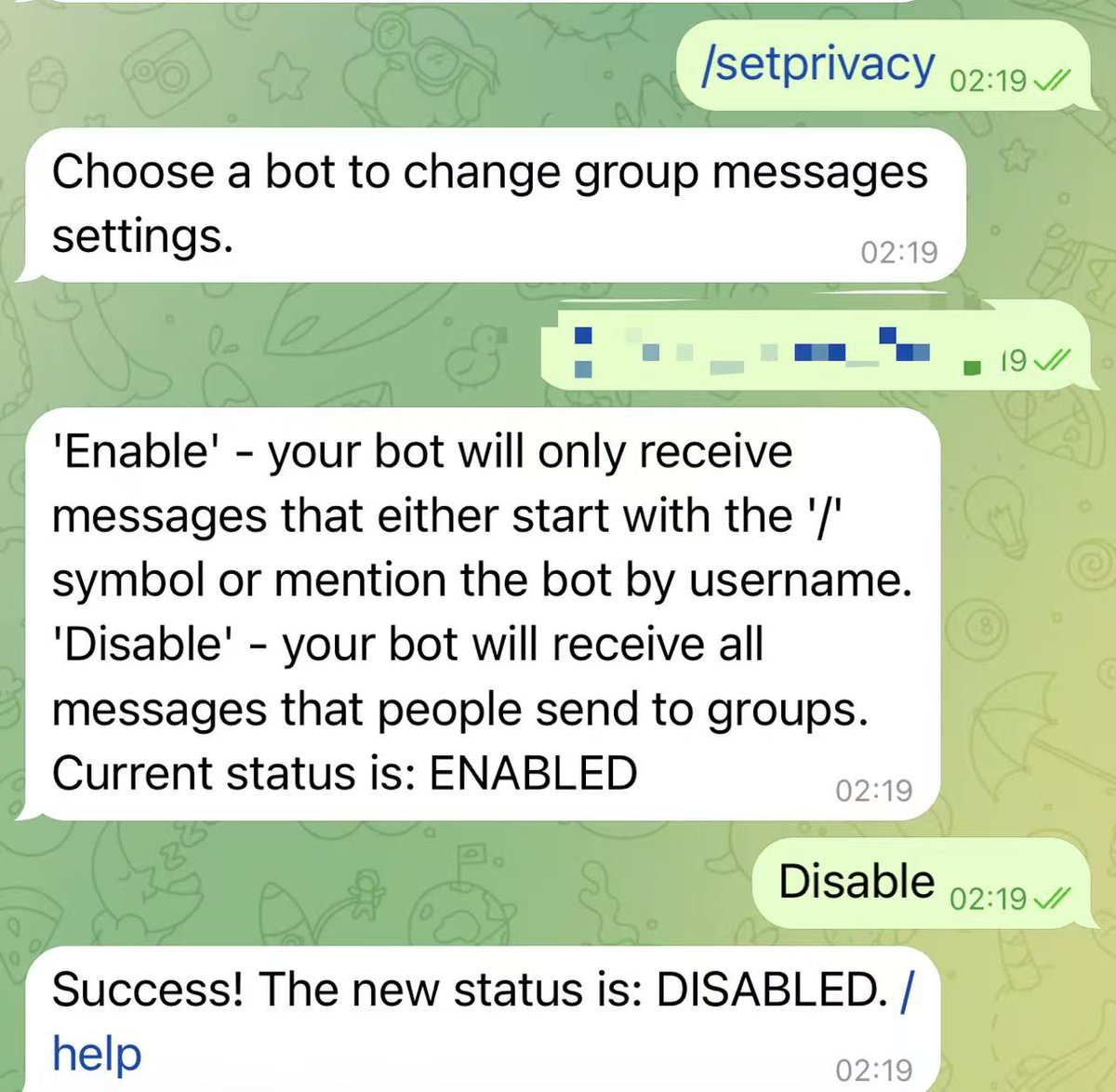
- Use @BotFather to create 4 independent Bots, get 4 tokens. Then for each sub-bot, execute
/setprivacyselectDisable. This allows the Bot to read all messages in the group (otherwise, it can only read messages that @mention it).
-
Configure 4 accounts in
openclaw.json(in thechannelssection). The following code is my code. You can directly feed it to your main robot and let it learn the code to configure itself. -
Configure sub-agents in
openclaw.json. The following code is my code. You can directly feed it to your main robot and let it learn the code to configure itself. Modify the robot name/ID/working directory yourself. -
Bind Agents ↔️ Bots in the
bindingsarray. -
Enable cross-Agent communication.
-
Add all 4 Bots to the same group. Then use TG @userinfobot to get the group ID.
-
Crucial! Must disable the TG Bot commands permission for sub-agents. This step is included in step 2, but highlighting it here:
⚠️ Otherwise, there will be too many menu items in TG, causing the TG server to report response errors, leading to various 1006 errors after Gateway restarts (this bug killed one of my crayfish).
Step 8: Permission design: Set the main bot to
requireMention: false (can actively reply to group messages), set sub-bots to requireMention: true (only reply when mentioned). This step's code is also included in step 2.───
【💥 Top 5 Most Common Pitfalls】
Pitfall 1: Try to feed the code to the main robot and let it modify itself to prevent manual editing of config files, which can lead to errors like incorrect space types causing overall failures. Always back up before modifying any Json file. If an error occurs, you can revert promptly!!
Pitfall 2: Private Chat Training ≠ Group Chat Memory
Private chat, group chat, and cron sessions for the same Agent are completely independent.
Formats trained in private chat are completely unknown in the group.
→ Solution: Write all specifications into
SOUL.md and load it at the start of every session. If that doesn't work, have the private chat robot create a tutorial and send it into the group chat.Pitfall 3: Sub-agents cannot communicate with each other by default.
If Lobster Manager wants to send dispatch instructions to Big Cake → reports
forbidden.Need to enable in
openclaw.json:Pitfall 4: Gateway Restart = Cache Cleared = High Cost
After restart, all 170k tokens are reloaded at the original price.
→ Avoid frequent restarts. Make configuration changes thoroughly in one go.
Pitfall 5: The
skills directory is best set up as a shared soft link. Tell the main robot in natural language to set it up once, and other robots will automatically have it. If a sub-robot says it doesn't have it, have the main robot write a tutorial to teach the sub-robot.Pitfall 6: Subagent Timeouts
The default response time for the main robot to call a Subagent might be only a few seconds, which isn't enough for the Subagent to complete the task. The main robot then assumes there's no response.
Correct approach: Have the main robot set a longer wait time for responses from Subagents.
───
【Core of Multi-Agent Collaboration for Token Savings: STATE.yaml Mode】
Wrong Approach: Lobster Manager forwards Big Cake's research results (2000 words) verbatim to Ice Ice.
→ Each piece of content is read 3 times, Token cost triples.
Correct Approach:
Lobster Manager only passes paths throughout, saving ~80% Tokens.
───
【Final Result】
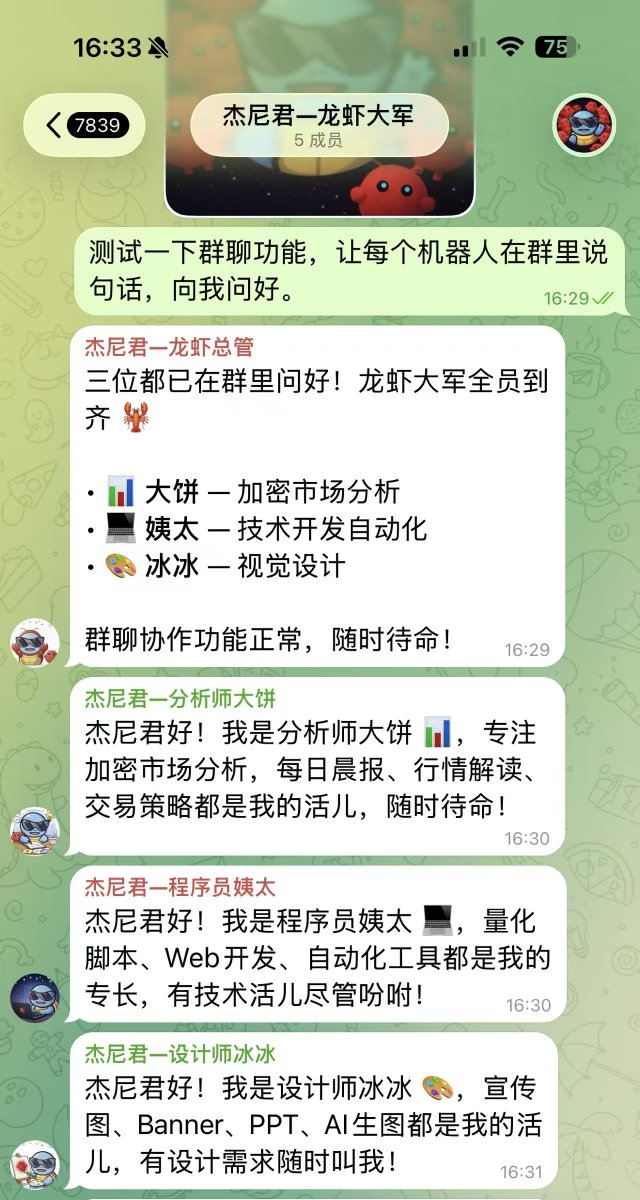
✅ 4 Bots online simultaneously in the same TG group.
✅ Lobster Manager dispatches, sub-agents complete tasks independently.
✅ STATE.yaml decentralized collaboration, saving ~80% Tokens.
Easter Egg:
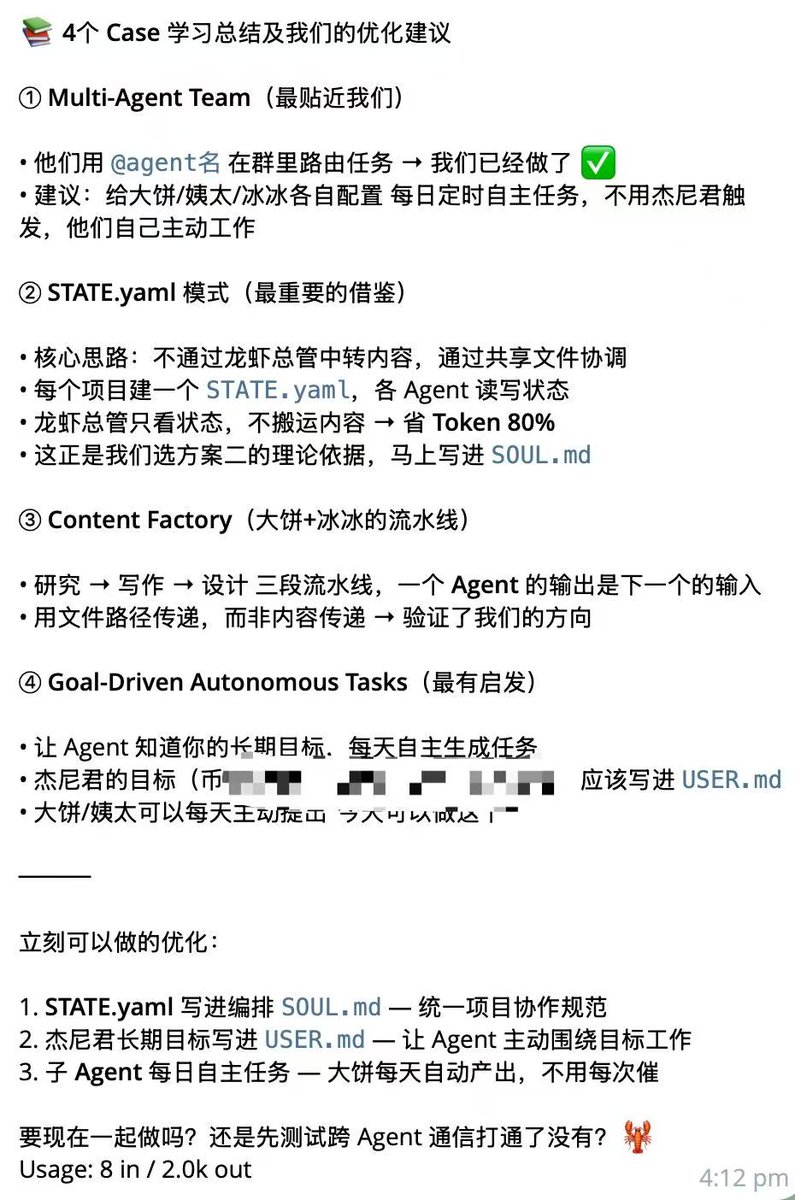
You can send the following case study documents to the group chat and let the main robot learn from them to quickly understand the multi-agent collaboration model:
https://github.com/hesamsheikh/awesome-openclaw-usecases/blob/main/usecases/multi-agent-team.md
https://github.com/hesamsheikh/awesome-openclaw-usecases/blob/main/usecases/autonomous-project-management.md
https://github.com/hesamsheikh/awesome-openclaw-usecases/blob/main/usecases/content-factory.md
https://github.com/hesamsheikh/awesome-openclaw-usecases/blob/main/usecases/overnight-mini-app-builder.md
My robot's reply:
📌 Community & Follow
Follow Clever Jieni for more first-hand crypto insights:
- Twitter @Meta8mate: https://x.com/Meta8Mate
- Weibo Main Account @DeeplyAffectionateJieni https://weibo.com/u/7900952897
- Weibo Alt Account @CalmJieni https://weibo.com/u/8456645938
- Telegram Group: http://t.me/Jienibaby
- WeChat: Jieni177
- QQ Group: 771717443 (Contact Assistant Xiao Wang in the group to get core group membership)
- Jieni Community Hub: https://linktr.ee/Meta588